LLM Client in Python 3
The capabilities of Python 3 scripting in Vertec include a generic LLM client, with which LLM functionalities from different LLM providers such as Open AI, Anthropic and Google Gemini can be used in Vertec.
Operating mode
 Cloud Suite
 On-Premises
Modules
All
LLM’s (Large Language Models) can be used for a variety of tasks, for example, to complement or summarize information. They usually receive text and return text. To be able to use such LLM’s in Vertec, a generic LLM client library, the llm_api_adapter module, is available. This library can be used in Python scripting in Vertec to send tasks to an LLM model and accept the results and process them further in Vertec. This library can be used within a Python 3 script.
This article describes the basic capabilities of the library, illustrated with an application example. A complete documentation can be found on the corresponding page on GitHub, where the module was previously linked.
Summarize text
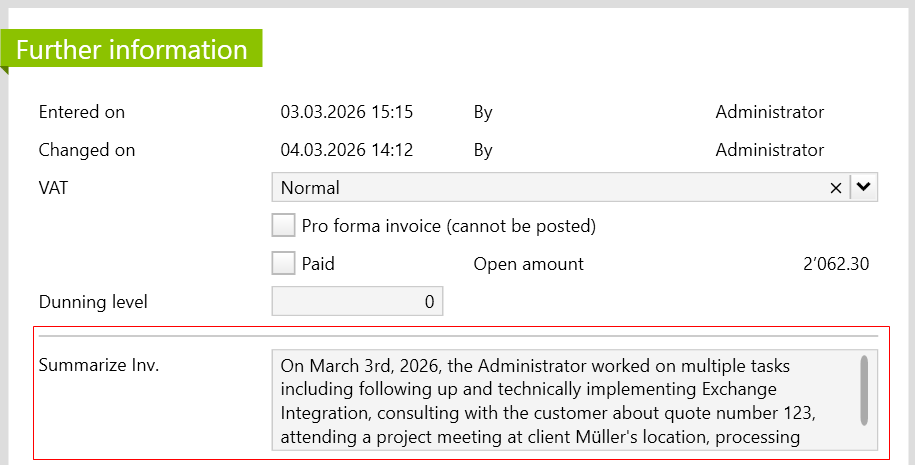
In this example, several text units from the services have been summarized for the generated invoice. The summarized text appears on the invoice after the feature is executed.
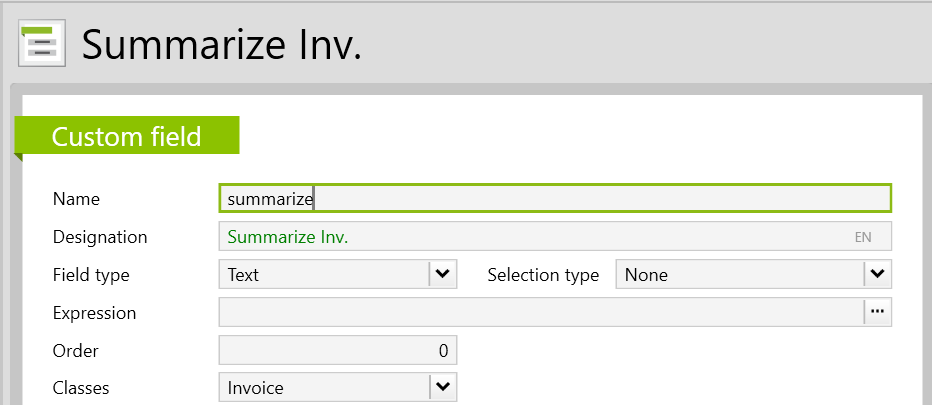
First, a new custom field is created in which the summary is to be shown. To do so, go to Settings > Customize > Custom field.
The custom field is then filled in with the relevant information and under Classes, you select Invoice:
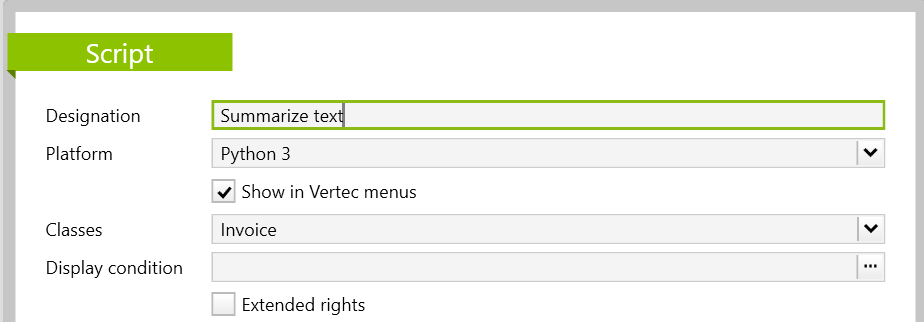
Then create a new script under Settings > Reports & Scripts > Script. In the script, name the feature with a suitable designation and select the platform Python 3. The module is also only compatible with Python 3. Afterwards, you tick the checkbox Show in Vertec menus so that the feature is ready to be run. Finally, select Invoice under Classes .
In the field Script text, you can copy and customize the following code:
# generate invoice summary

from llm_api_adapter.models.messages.chat_message import UserMessage, Prompt
from llm_api_adapter.universal_adapter import UniversalLLMAPIAdapter
import datetime
import json

invoice = argobject
service_list = []
for service in invoice.services:
    service_dict = {}
    service_dict['service date'] = datetime.date.strftime(service.entrydate, "%Y-%m-%d")
    service_dict['collaborator'] = str(service.user)
    service_dict['invoice text'] = service.text
    service_list.append(service_dict)

json_string = json.dumps(service_list)
instruction = """The input are invoices texts from different collaborators that worked for a project on different dates. Please summarize the invoice texts.
Give back only a summary as not formatted text in the language of the input texts."""

messages = [
    Prompt(instruction),
    UserMessage(json_string)
]

adapter = UniversalLLMAPIAdapter(
    organization="anthropic",
    model="claude-sonnet-4-5",
    api_key="sk-ant-api03-2Xdw-39FdKnlX7EY4f7wlmjcEXs1rDw6cR0Abwh80Aaa67J-u4Xb42zI40FtU3zccH8tgy7b_Ve9yygTLxJn6Q-1u9F9QAA"
)

response = adapter.chat(
    messages=messages, max_tokens=3000
)

invoice.zusammenfassung = response.contentNote: To use the module you need your own API key, which can be requested from the respective LLM provider. More detailed information can also be found on the linked GitHub page.
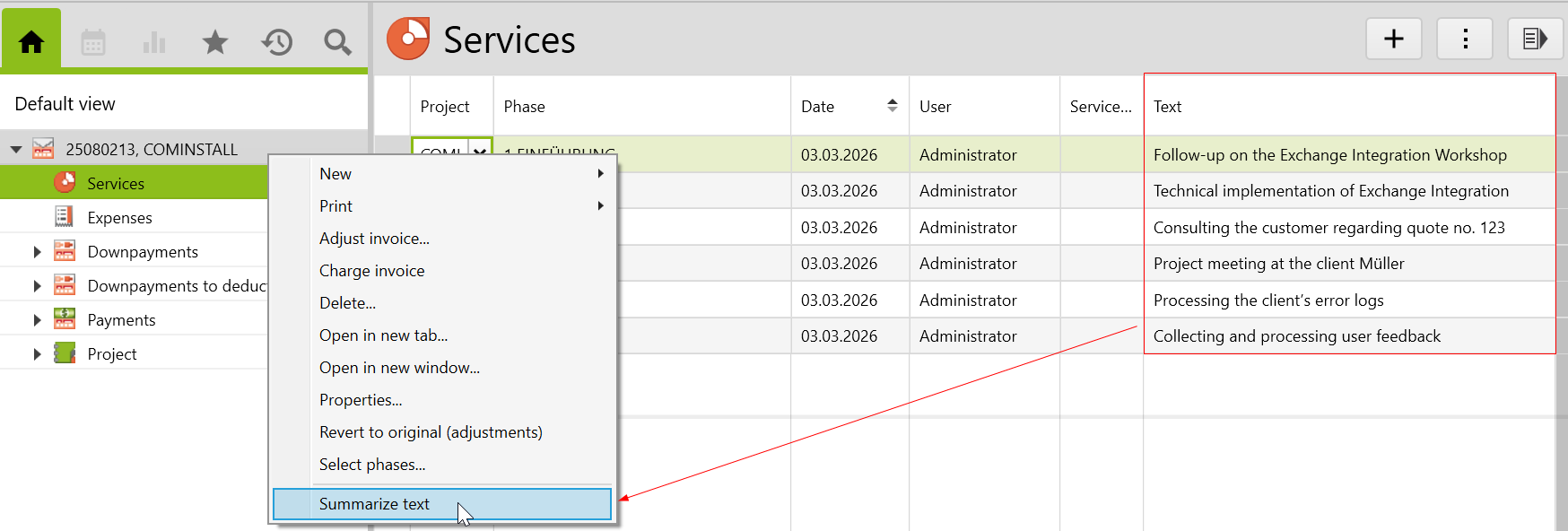
If a couple services and the corresponding texts were entered and then an invoice was created, the feature Summarize text should be available by right-clicking on the invoice or by navigating to the actions menu.
Here, you can see the summarized text on the Further Information page as follows: