Entering payment connections
 Cloud Suite
 On-Premises
For payment connections, a payment type must be defined in Vertec. If you are working with several payment connections, you must create such a payment type for each of these payment connections.
Payment types can be entered in the folder Settings > Projects > Payment types.
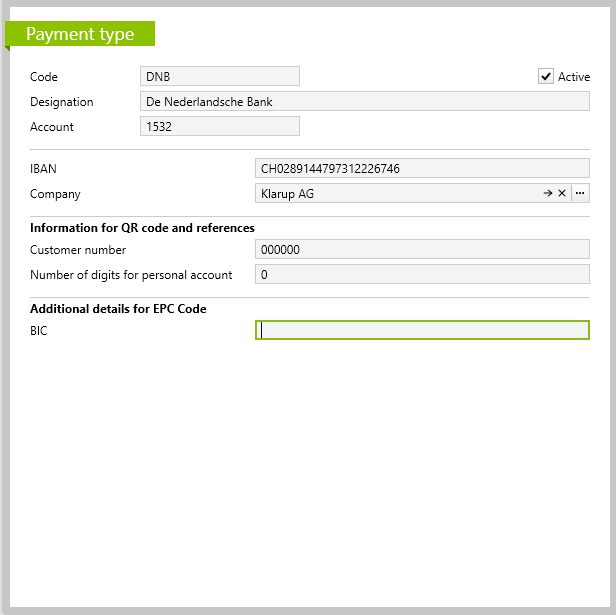
If you are working with an accounting interface that supports the import of payments (see Payment reconciliation with Vertec), the Code should correspond to the corresponding bank ID in your FARU. In this case, you can select the corresponding payment account from the FARU. This is the Account in the accounting system where the payments are received and from there are automatically or manually distributed to the corresponding customer accounts. In the case of QR payments, the payments are posted to this account in the FARU.
This information is not relevant for manually entering payments in Vertec, you can freely choose the code and designation and leave the account blank.
The IBAN for QR invoices consists of 21 alphanumeric symbols. For EPC QR invoices it is truncated from 34 symbols.
By default, the field Company applies the company from the System Settings. In this case, the company is displayed in black font. By clicking on the button with the three dots, an alternative company can also be set on this payment type. In this case, the font appears in green.
You only need further information if you want to send invoices with (EPC) QR code.
Customer number: If your bank requires the submission of a 6-digit customer identification number, the field Customer Number must be filled in.Number of digits for personal account: If 0, the reference number is generated without the personal account.For more information, see Setting up QR invoice in Vertec.
In the System Settings you can specify a Default payment type. This is then used by default in Vertec, but can still be overridden at the levels Project Type (for a whole group of projects), Project or Address (as a customer of the project or as an invoice address). The hierarchy is as follows:
Note: For customers who have checked the checkbox Use BSER before version 6.7 but had entered a customer number, an error message may occur when printing invoices. See Up-To-Date Support Cases.
A payment type must be created for each payment link. This type must contain the following information:
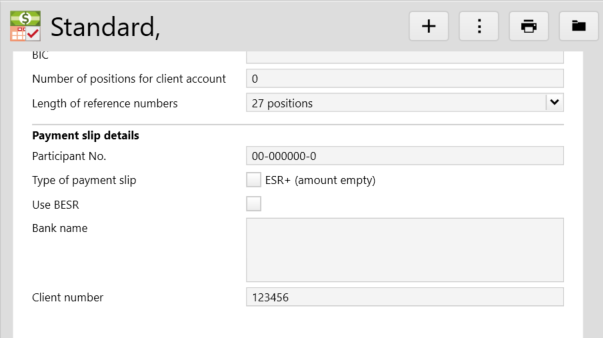
Use BSER must be ticked and the number must be entered in the Customer Number field: