
Additional feature for the dunning process in Vertec
 Cloud Suite
 On-Premises
This application is an additional feature. You can find the corresponding config set here.
This additional feature implements a dunning process directly in Vertec.
When you import the config set, the option Generate reminders appears by right-clicking on the invoice or by clicking on the actions menu. All dunning invoices can be viewed in the folder overview reminders and filtered by customer, project, invoice number, dunning level and dunning stop (see screenshot below). The folder is in the invoicing root folder under Reminder process. The reminder process folder contains the following subfolders:
Payment deadline for reminder (days).
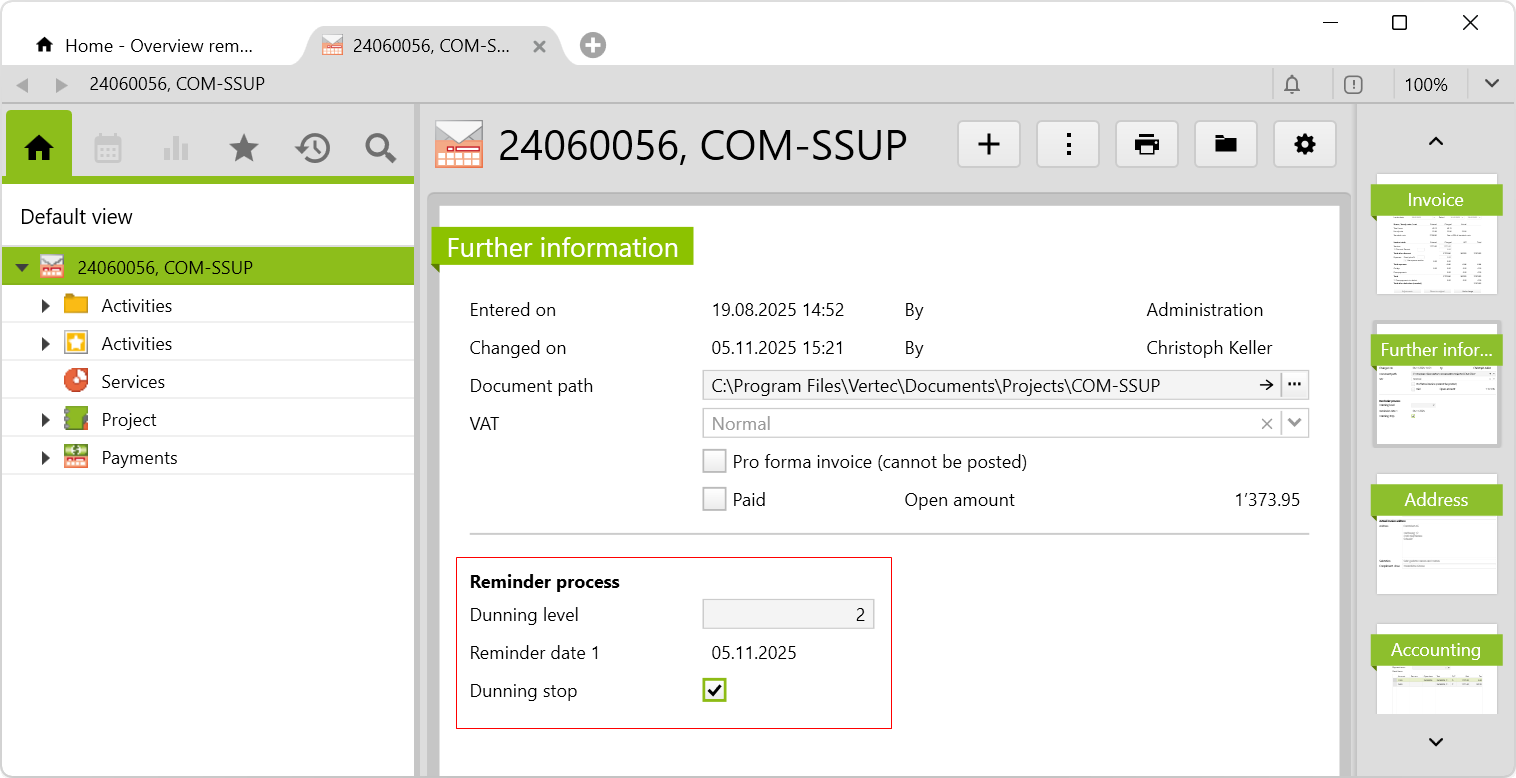
When the checkboxes Dunning stop or Paid are checked, the reminder disappears (after reloading) from the list overview reminders.
Paid invoices.All invoices with dunning stop and no longer appear under ControllingActivating the dunning stop checkbox and entering the dunning level is alternatively possible on the Further information page of a dunning reminder in the Reminder process section:
The following folders are created under Invoice > Controlling:
Reminded clients: Contains all customers who have at least one outstanding reminder. The three dunning levels are shown in different colours.Outstanding amounts: Contains all outstanding invoices, whether reminded or not.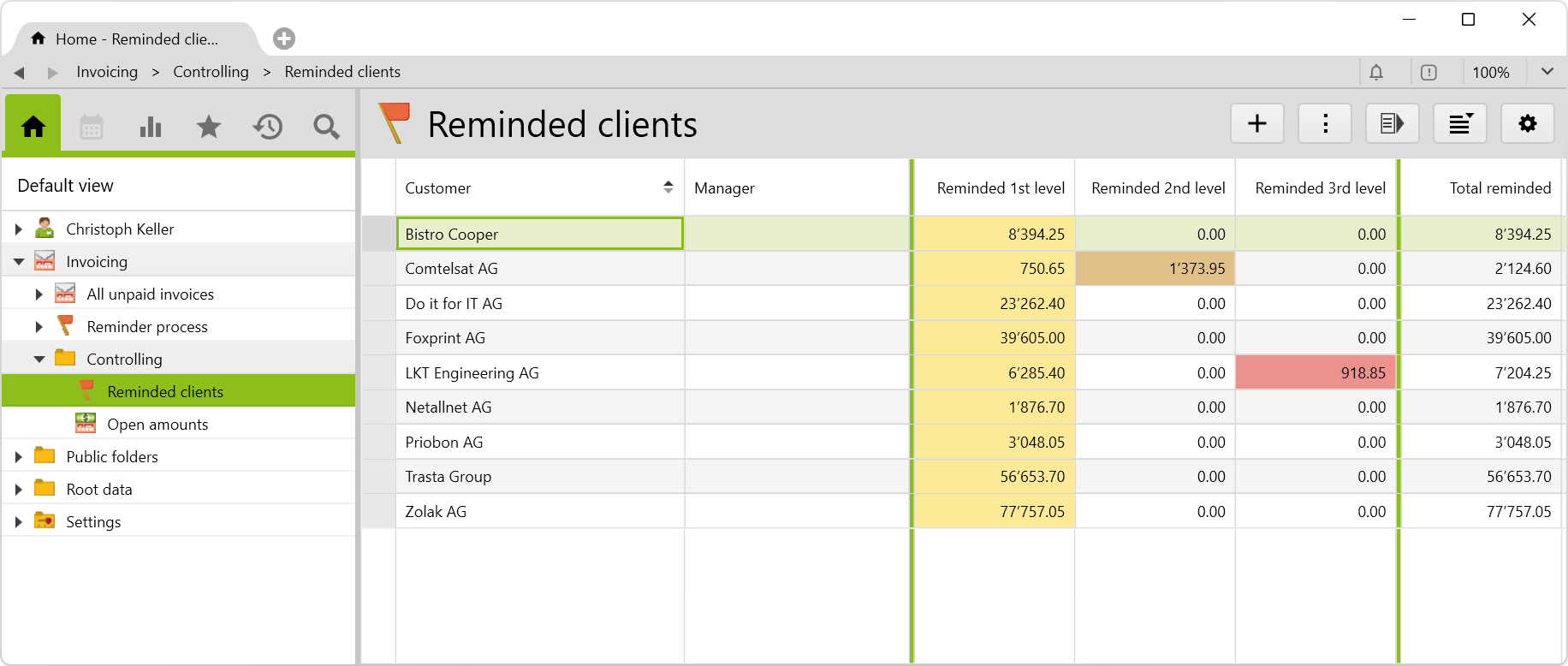
If reminders are to be sent by email directly from Vertec,
Send as email.Note: The report dispatch additional feature was previously called “E-mail templates”. This old version can no longer be combined with the current dunning additional feature. To use both additional features, the new version of the report dispatch config set must be used.
When you import the config set, the option appears by right-clickling on the reminder or by clicking on Actions > Generate and send reminders.

This generates an email with the appropriate subject, text and reminder as an attachment. The email is sent directly or stored in Outlook in the drafts folder – depending on the setting on the email template (Outlook or SMTP).
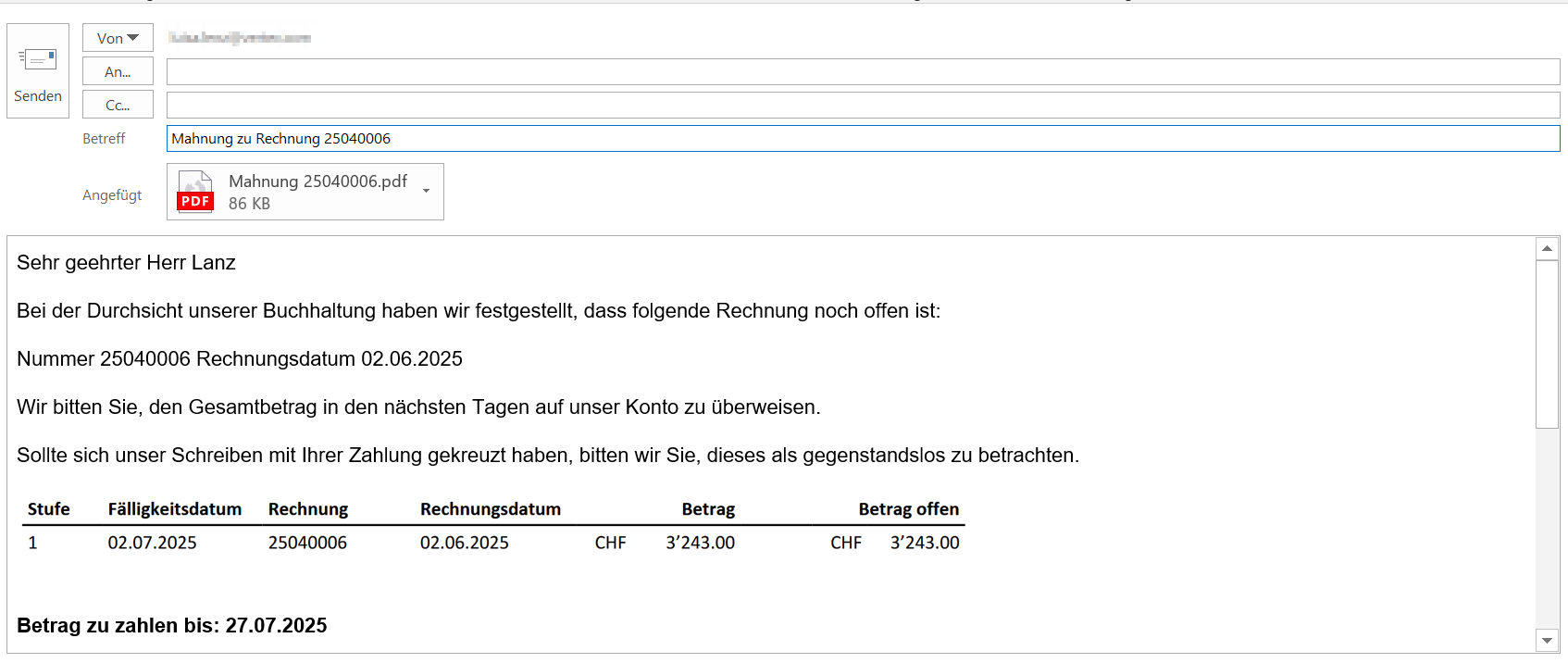
The email template for the reminder can be found in Settings > Report mail-outs in the Report mail-out templates folder, which is an additional feature by importing the additional feature report dispatch.
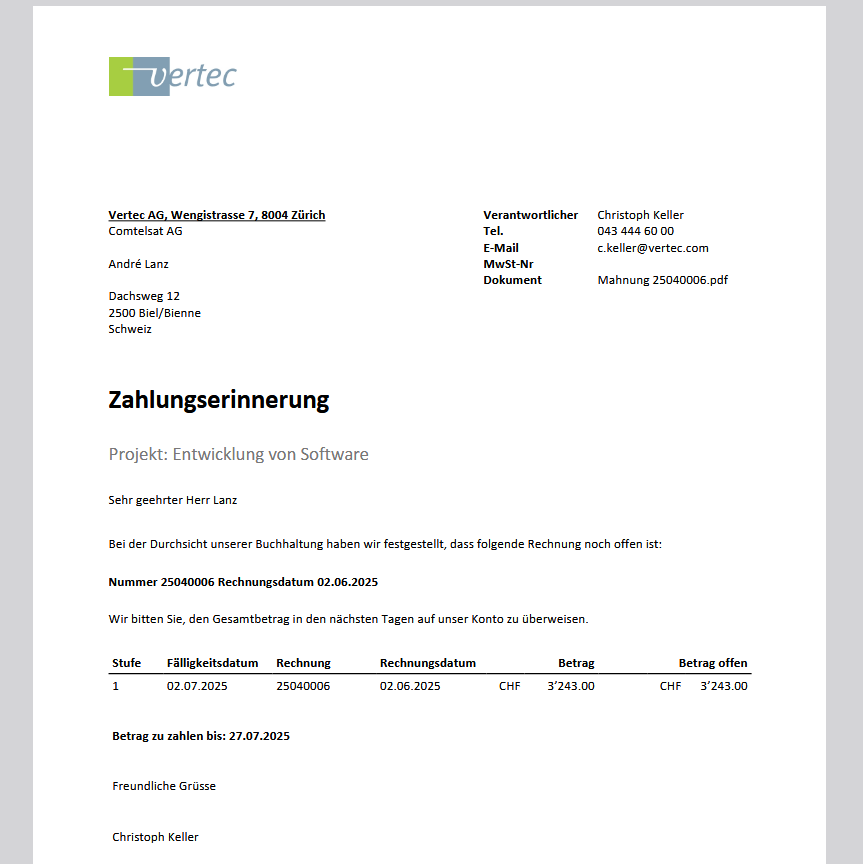
Example of a reminder sent in the attachment:
ClassSettingsZK27EMailTemplates and comes from the already imported additional feature Report dispatch.Before importing the config set, we recommend you read the article Key information about the additional features. Config sets modify data in Vertec, which can overwrite existing data.
The exact import process is described in config sets.
You can download the additional feature with the following link:
| Version requirement | Download |
|---|---|
| 6.8.0.1 | Configset_dunning.xml |