
Check your Vertec installation
Vertec’s Health Check provides a systematic check of your Vertec installation in terms of security, performance and functionality. It helps to detect bottlenecks or misconfigurations at an early stage, especially in the case of systems that have grown or have been used for a long time. Through the checks, you ensure the stability, performance and reliability of your software environment. This way, you can ensure that your Vertec based business processes run smoothly. The Health Check can be expanded with customer-specific checks if required.
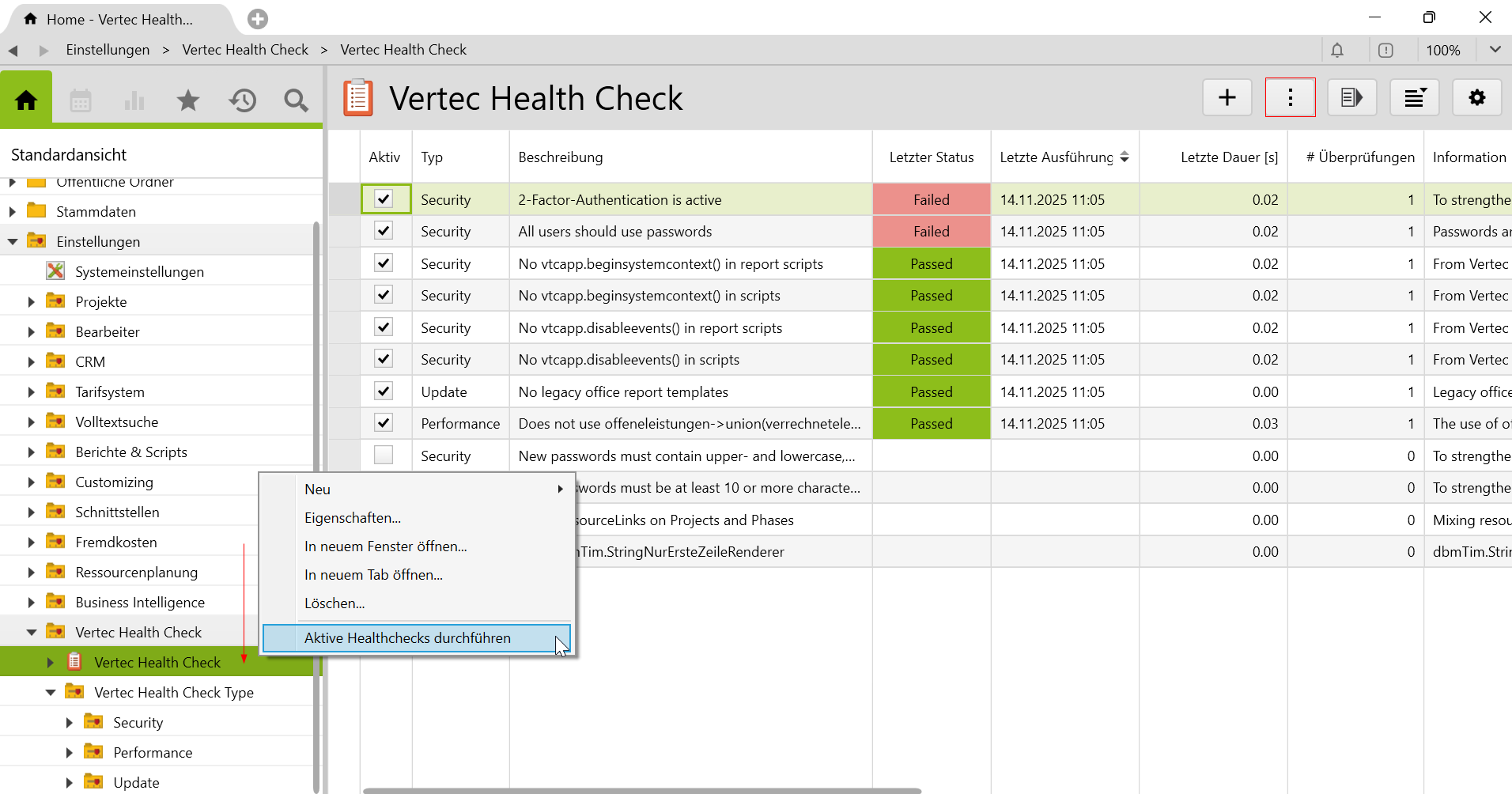
The Health Check is an additional feature for Vertec that allows you to regularly check your installation for critical aspects such as security, performance and correct functionality. Especially in the case of systems that have been used for a long time or have been heavily modified, the Health Check helps to identify optimization needs at an early stage and thus guarantee ongoing operational safety.
The Health Checks are divided into three categories:
The created Healthcheck elements are intended as an example. You can expand them with your own checks that are relevant to your environment. In this way, customer-specific requirements can be mapped and checked regularly.
Vertec offers extensive customization options to optimally implement your processes. Custom fields can be created and used for customer management, among other things.
If you update your customer history in Vertec, you can view it at any time. The history is filterable and is displayed either in an entire list or as a cluster of activities such as emails or phone calls. We call this the activity feed. Full-text search allows all authorized persons to search content stored in Vertec, including emails. With the Outlook AppOutlook App, you can see the activity feed of a contact directly in Outlook.
You can document your appointments in Vertec. To do this, create activities and assign them to a project, a company or a contact. If necessary, you can create tasks with a due date and a responsible user.
Yes, with the Vertec Outlook AppOutlook App, you can assign mails directly to projects or contacts. These are linked in Vertec and automatically saved in the document storage. With the full text search, emails stored in Vertec can be searched by all authorized persons.
You may test Vertec for 30 days free of charge and without obligation in your personal test environment.
Start your free trial now.


