The idea behind the Vertec MCP Server
MCP (Model Context Protocol) is a relatively new standard in the interface world: proposed by Anthropic at the end of 2024 to enable LLMs to communicate with the outside world for response delivery, it was not adopted by other AI companies such as OpenAI until 2025. But despite the young history, MCP servers have spread rapidly, because the benefits for users are obvious: a chat in an AI client like Claude can no longer only revolve around universally available world knowledge, but can also include own data and services in the chat.
The Vertec MCP Server, published in July 2026, makes it possible to do just that: refer to your own Vertec data in a chat. In this blog post, I would like to explain the idea behind the Vertec MCP Server.
How do MCP servers actually work? An MCP server is added as a connector in your own AI Client / AI Agent and publishes “tools” to the LLM. Such a “tool” can be, for example, a calculator that helps the LLM to perform mathematical calculations. The “tool” calculator has the following description:
«Evaluates a mathematical expression and returns the numeric result. Use this whenever a query requires precise arithmetic, such as sums, percentages, or multi-step calculations, rather than relying on estimation.»
It uses the parameter expression, which could be (240 - 15%) / 3. The addressee of “... use this ...” is the LLM itself, it reads these descriptions and if it thinks it needs to calculate something, it knows exactly how to call this tool.
The Vertec MCP Server current provides 13 “tools” and instructs the LLM with a detailed process via description:
- The LLM must first find out about
schema_list_objectswhich Vertec data classes exist. The web serviceModelMetadataprovides this information and makes a selection that is usually relevant for CRM and ERP queries, i.e.Project,Invoicebut alsoApprovalandOffer. All classes for which there are Class Settings, are added to the static list (“whitelist”). These can be classes that are not in the “whitelist,” but also additional classes from additional features or other custom implementations. Important note: for additional classes, the remarks are included as an explanation of what this class is. - If the LLM knows from the class list which classes it is interested in in detail, it calls
schema_describe_object. This “tool” takes a class name as a parameter and returns all data of the class itself, all attributes and associations, each with explanatory texts. These are the texts for built-in attributes and associations, which can also be seen in the Model Browser or the Expression Editor, for own attributes (= Custom Field Items) and association (= Custom Link Types), the remarks on these setting objects. - Only with this information do we “allow” the LLM to search for Vertec objects and to continue working with them, e.g. to query BI measures, call features or navigate from an object.
If you want to have a look at the descriptions and the tools yourself, you can ask your AI client, once it has been connected to the Vertec MCP server. Central to the concept behind the Vertec MCP server is the idea that there are only generic methods and no search_invoice or create_address. This approach allows the LLM to query and edit customer-specific implementations via MCP and Vertec REST API and to answer questions that no Vertec developer has ever thought of. It is crucial that the LLM “discovers” what is relevant to the question. That is why meaningful names and designations for custom field items are very important, as are commentary texts for additional classes, custom field items and own link types.


Internationalization and new Vertec Holding

The Vertec MCP server has outperformed the RAG system


The review package for future-proof Vertec installations


Environmental management at Vertec


How to Use AI Features in Vertec with Full Sovereignty
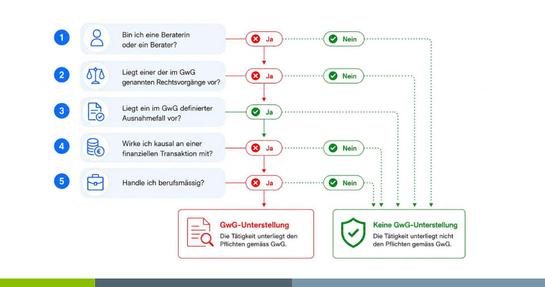

GwG Revision 2026: What Law Firms and Fiduciaries Need to Know Now

Invoice, discounts and warranty at engineers