
In order to increase translation quality, this additional feature offers the possibility of translating service texts of open project entries such as services, outlays and expenses in the available languages in Vertec.
 Cloud Suite
 On-Premises
After importing the additional feature, the two values DeepL API Key and DeepL API URL must be entered in order to use the DeepL translation function.
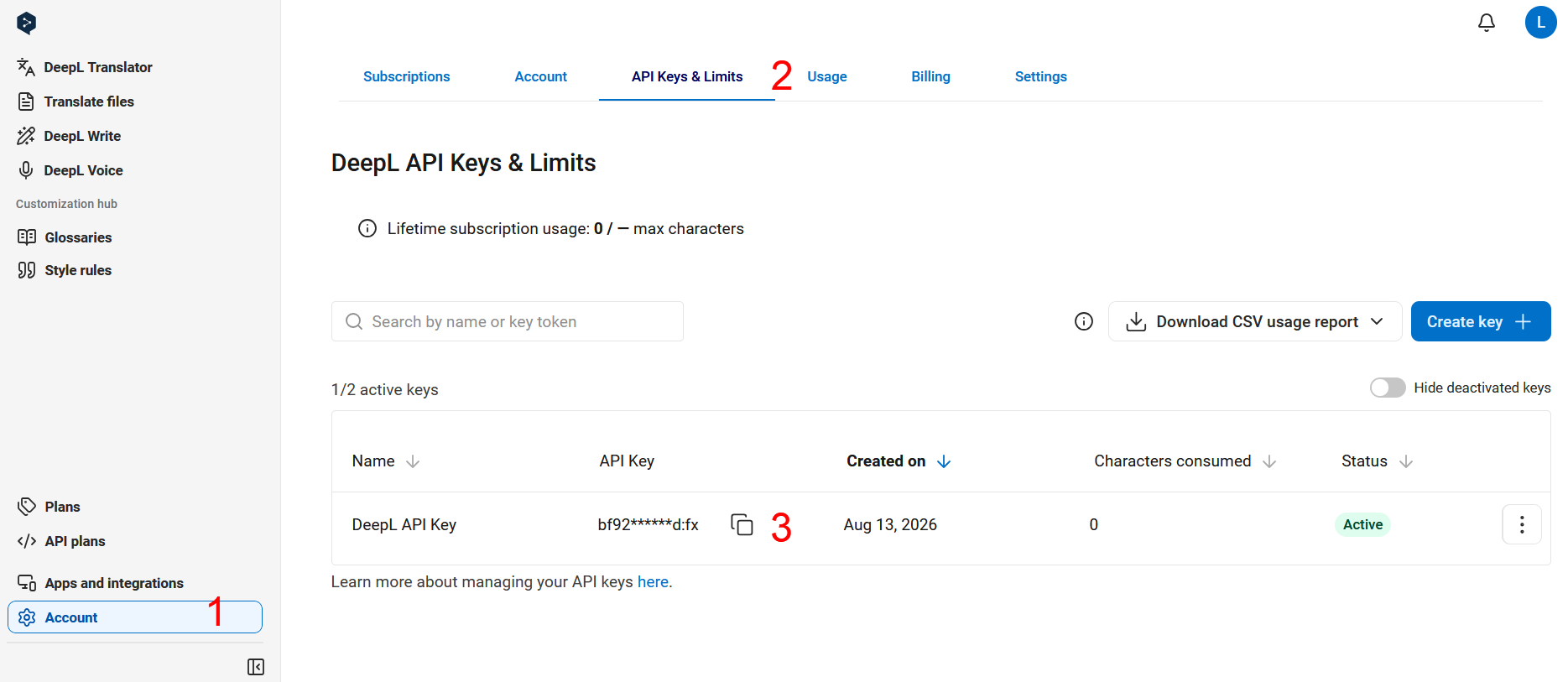
The DeepL API Key is an individual key that you can extract from your DeepL account. Therefore, create an account in DeepL. Then create another account under </> API plans. For productive use, we recommend using the paid version.
If you follow the steps in the order shown in the picture, you will copy the API Key at the end.
The following applies to DeepL API URL:
If the user is using the free version, then this URL should be entered: https://api-free.deepl.com.
If the user is using the paid version, then this URL should be entered: https://api.deepl.com.
You then enter the two values in the following fields, which can be found under Settings > System settings > Project:

Once set up, the service texts can be translated. The source language is automatically recognised from DeepL and it will be translated into all target languages available in Vertec—German, English, French, Italian and Dutch.
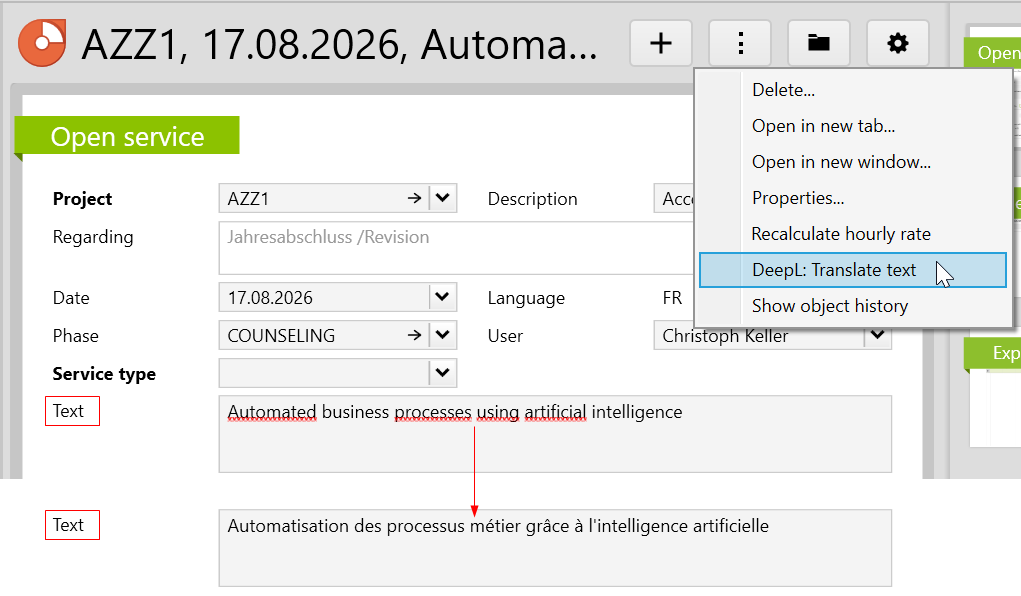
Before translating, make sure that the project language is set to the appropriate target language. Then create a project entry of the desired type (Services, Expense, Outlays), enter a service text in the Text field and exit the field so that the text is applied. Finally, execute the DeepL: Translate text feature by right-clicking on the entry or using the actions menu.
In the example below, the project language is set to French and the text has been translated accordingly.
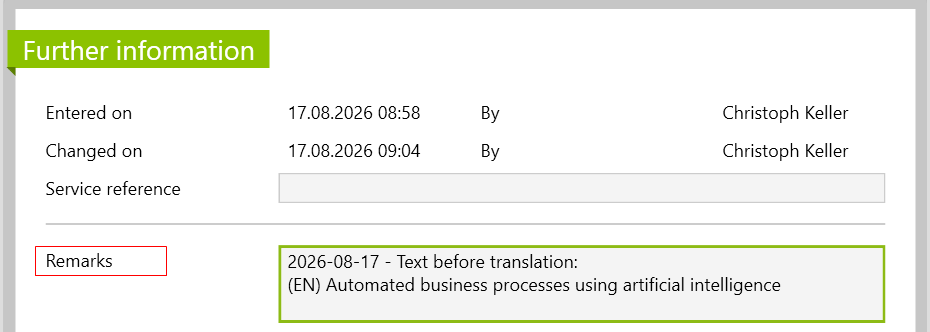
In addition, each completed translation is tracked with the date, a language abbreviation and the source text under Remarks on the Further information page. This allows you to always keep track of the changes that were made.
Note: Please note that you do not provide any personal or sensitive data to DeepL, as this is entered as training data, unless there is a contract that defines the data processing.
Before importing the config set, we recommend you read the article Key information about the additional features. Config sets modify data in Vertec, which can overwrite existing data.
The exact import process is described in config sets.
You can download the additional feature with the following link:
| Version Requirement | Download |
|---|---|
| 6.8.0.20 | ConfigSet_DeepLTranslations.xml |