
The Vertec AI App (MCP Server) connects AI assistants such as ChatGPT or Claude directly to your Vertec data. Query information, analyze relationships, and perform tasks in Vertec.

Ask questions about customers, projects, services etc. in natural language.

Perform Vertec actions conveniently via an AI assistant, without detours through masks and menus.

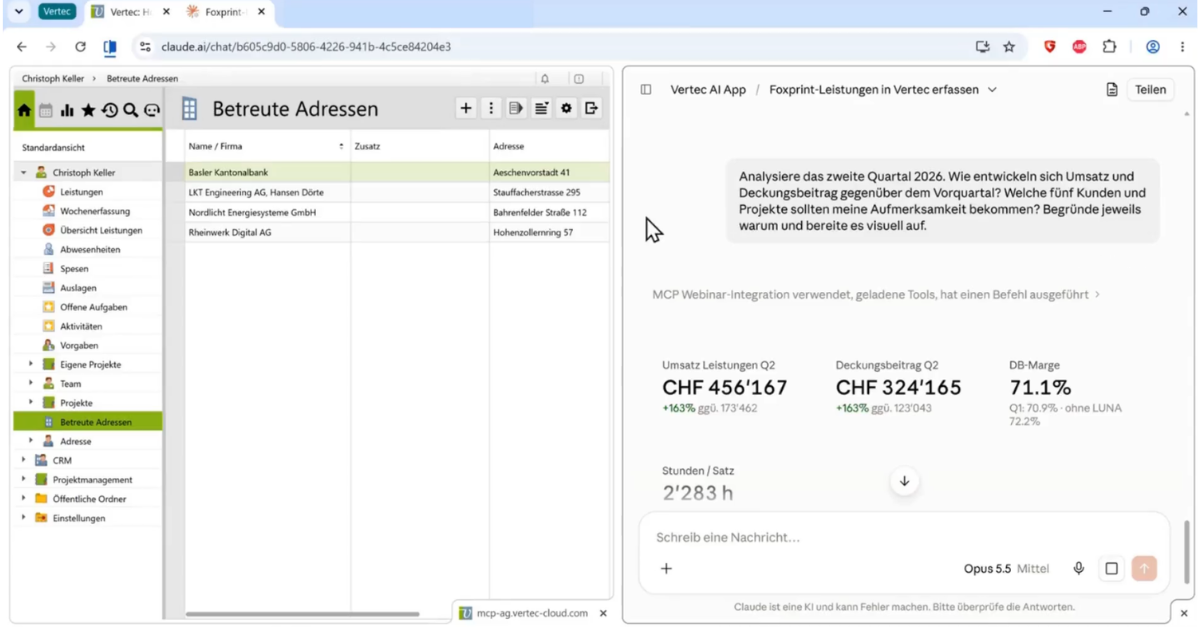
Query Vertec data in natural language and get answers directly via chat.
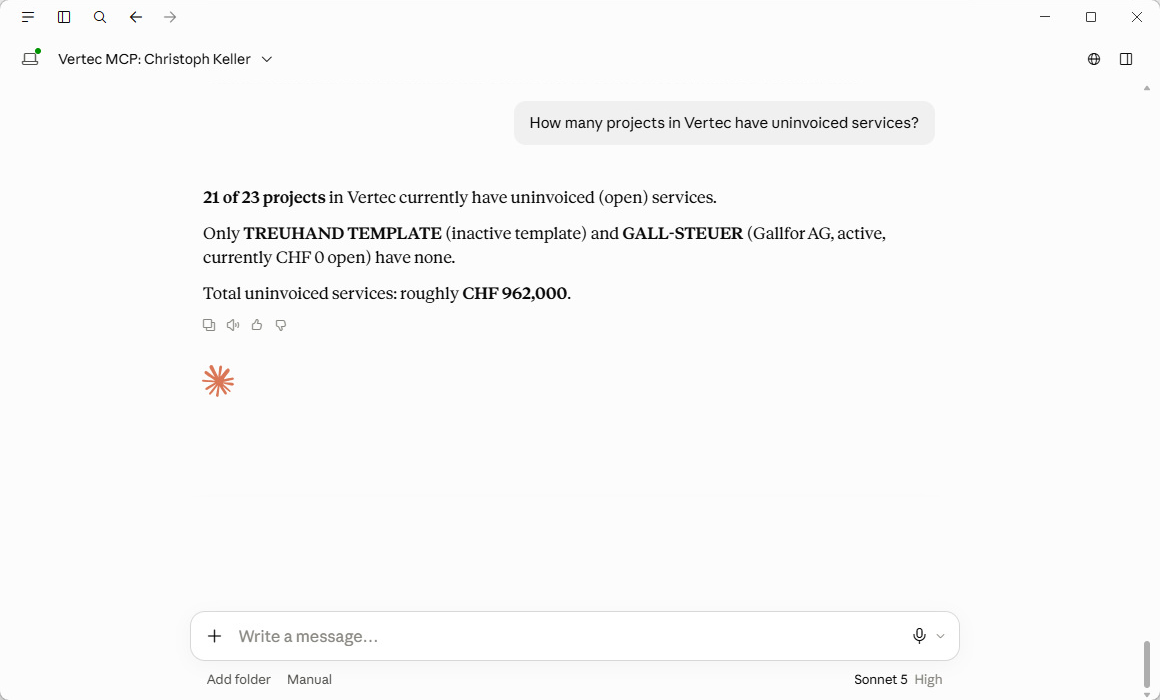
The Model Context Protocol (MCP) creates a standardized connection between AI applications and Vertec. AI in ERP and CRM becomes possible with the Vertec MCP Server.
With the Vertec AI app, you can use AI directly with your Vertec data. Ask what you want to know, analyze contexts, or have tasks performed.
With the Vertec AI app, you can use AI directly with your Vertec data. Ask what you want to know, analyze contexts, or have tasks performed.
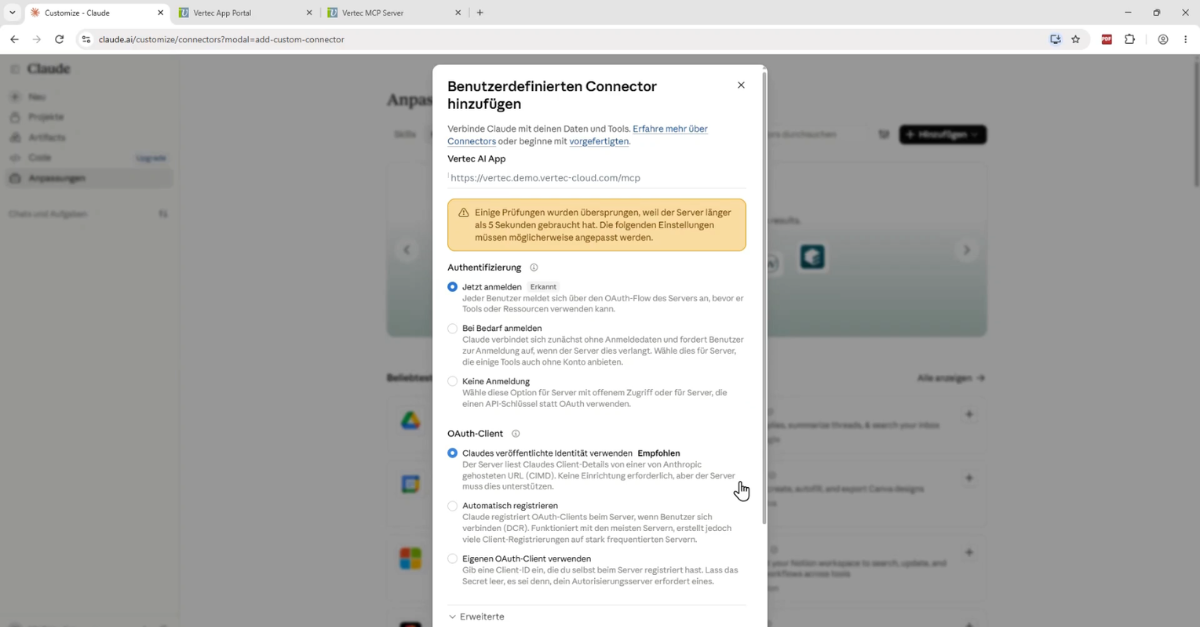

Language: German
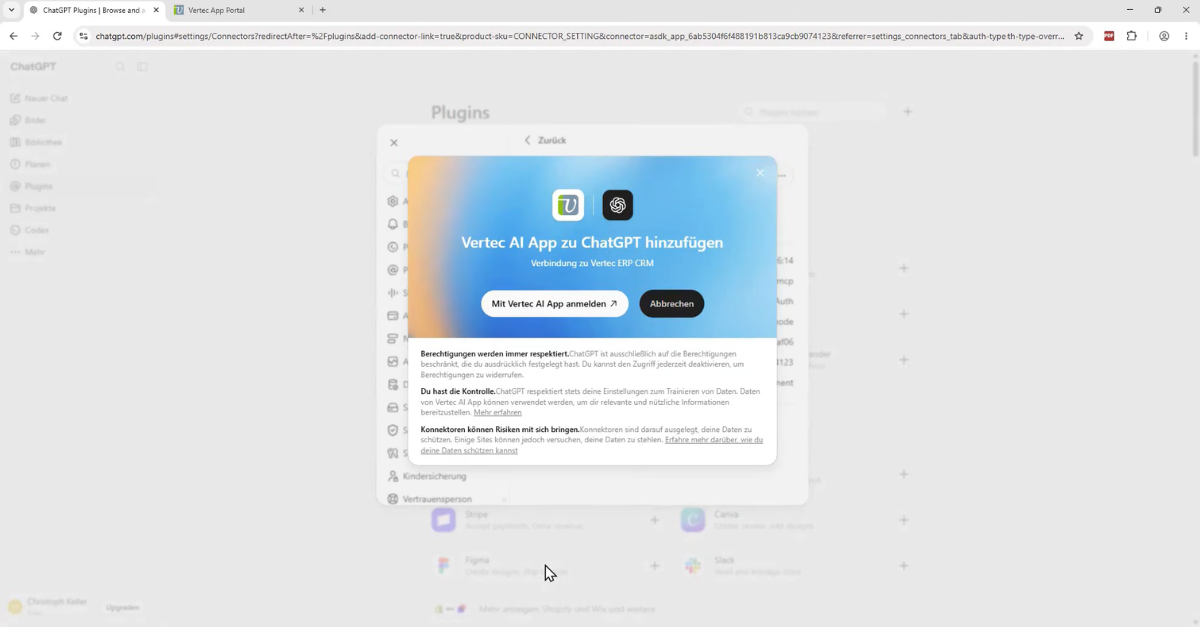
Language: German
With the Vertec AI app, you can use AI directly with your Vertec data. Ask what you want to know, analyze contexts, or have tasks performed.
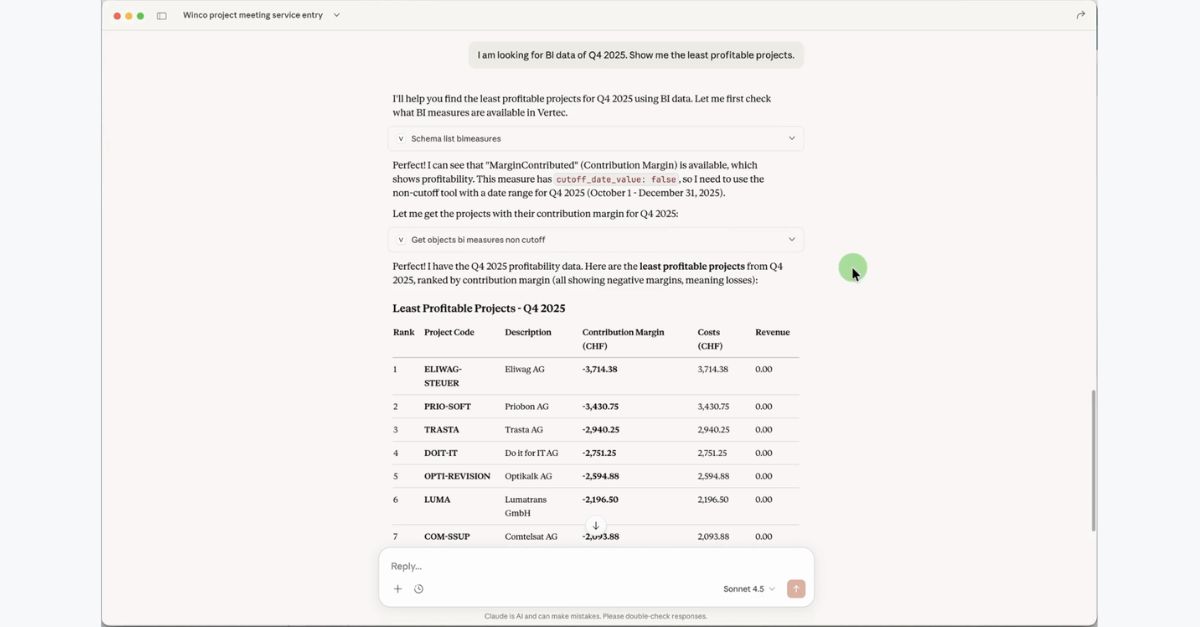
Language: English
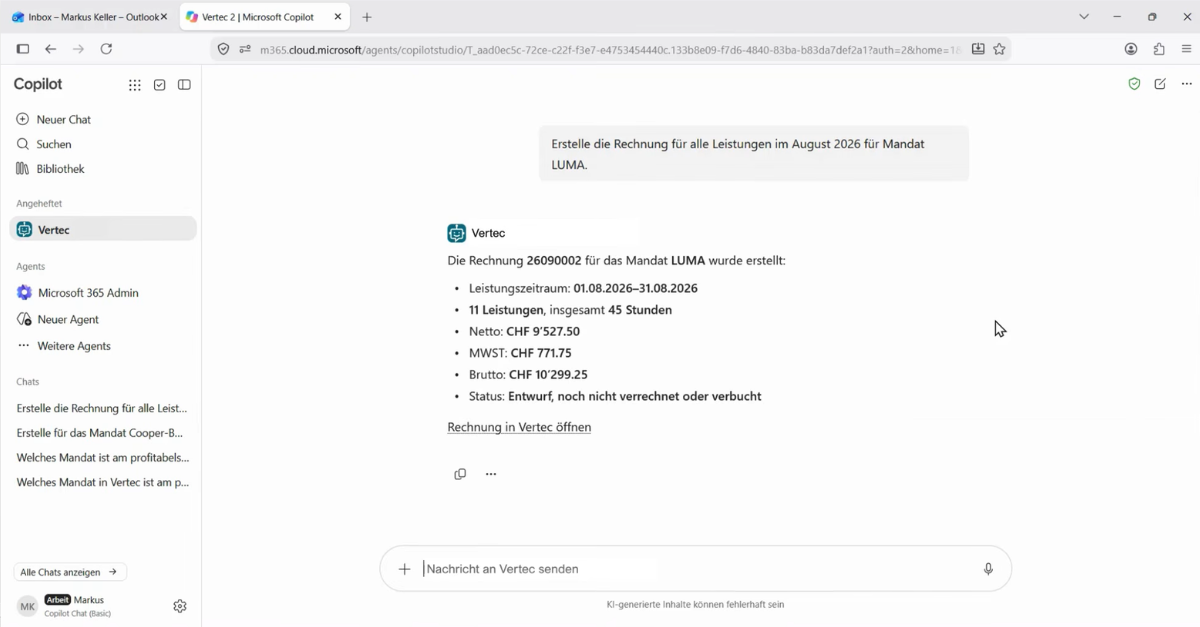
Language: German
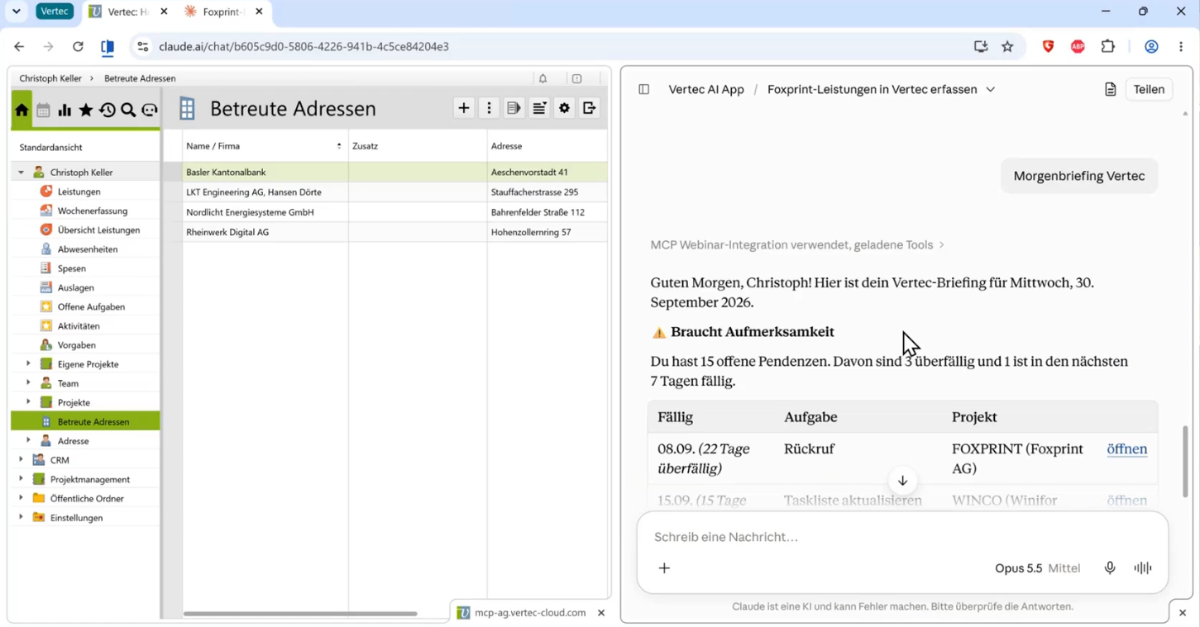
Language: German
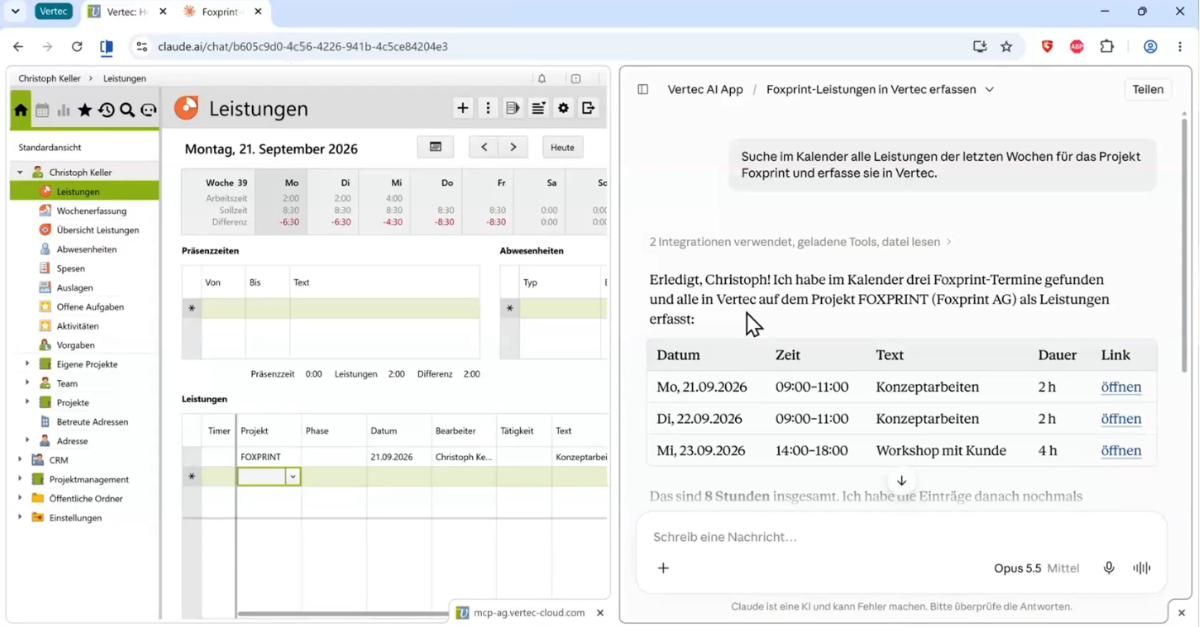
Language: German
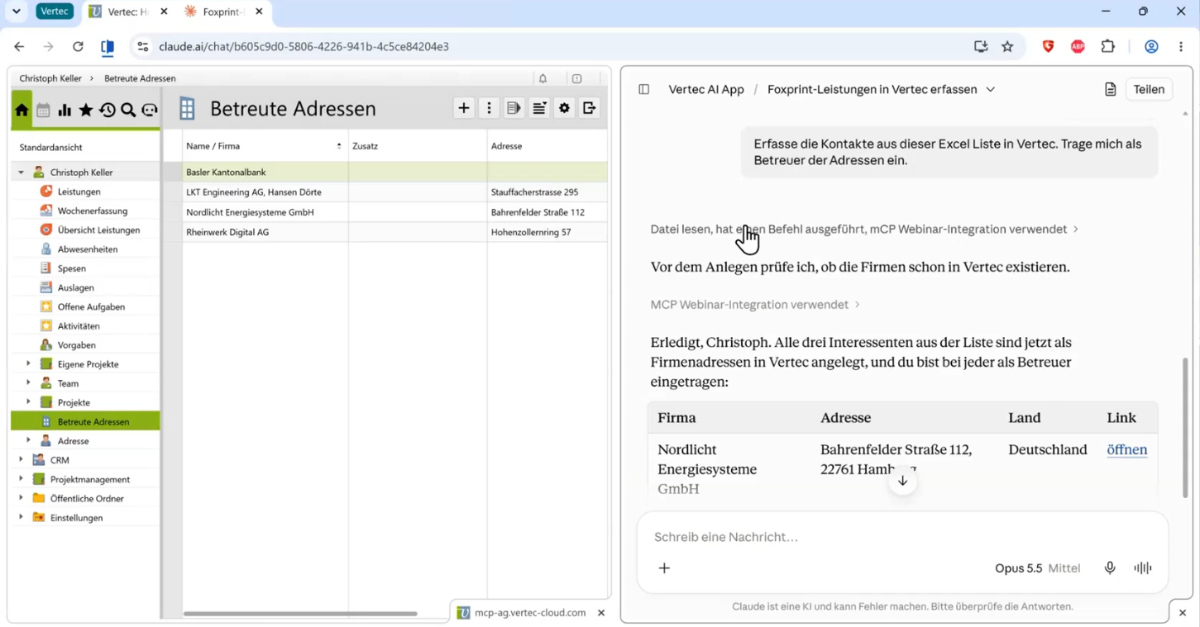
Language: German
Language: German
The following resources provide details about how the Vertec AI App works:
You need a Vertec installation running version 6.8.0.21 or later, as well as an MCP-compatible AI client, such as ChatGPT or Claude. In Vertec, the REST and ModelMetadata web services must be enabled. In addition, the user group must have the appropriate MCP user permission.
The Vertec AI App is available to Vertec customers at no additional licensing cost. Access to certain data, such as Business Intelligence or Resource Planning data, requires the corresponding Vertec module.
Depending on the AI client or model you use, additional costs may be charged by the respective provider, for example for a ChatGPT, Claude, or other AI subscription.
The Vertec AI App is part of the Vertec Cloud Server and is generally already available. For setup instructions, see the Knowledge Base article Vertec MCP Server.
The Vertec AI App allows you to query Vertec data using natural language and perform a wide range of tasks directly. For example, you can:
AI clients such as Claude can also use other MCP servers in parallel. This makes it possible to combine and process Vertec data with data from other systems.
The Vertec AI App provides a secure connection between Vertec and the selected AI client. It does not store any additional data itself. Users must authenticate with Vertec and can only access data they are authorized to access in Vertec.
However, data transmitted to the AI client is subject to that provider’s privacy and usage policies. Before implementing the Vertec MCP Server, companies should therefore determine which data may be processed and whether the selected AI provider meets their data privacy requirements.
Alternatively, the Vertec MCP Server can also be connected to self-hosted AI clients and language models. For more information, see the blog article How to Use AI Features in Vertec with Full Sovereignty.
Yes. The same user permissions that apply when working in the Vertec interface also apply when accessing Vertec through the Vertec AI App. The app does not grant any additional permissions.
This means that users can generally only view and modify data through the AI client that they are also authorized to access directly in Vertec. In addition, their user group must be authorized to use the Vertec MCP Server.
The Vertec AI App is based on the open Model Context Protocol and can be connected to AI clients that support MCP and the required OAuth authentication.
These include:
The specific setup process and available functionality may vary depending on the provider and subscription plan.
Yes, customizations can also be accessed via the MCP Server.

Book your demo now and let us show you the benefits of Vertec with AI.