
Grant scripts with enhanced privileges
 Cloud Suite
 On-Premises
A Script in Vertec can be granted extended user rights to ensure that the script has certain enhanced capabilities, even when called by users with restricted privileges.
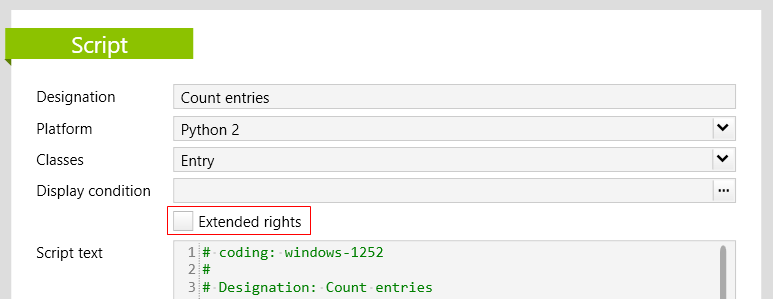
If the Extended rights option is activated on the script, the following functions can be built into the script text:
| Function | Description |
|---|---|
|
This function can be used to temporarily access Vertec objects that standard users normally do not have access to. It must not be used in scripts or to access objects outside Vertec. The function must always be called with a with vtcapp.SystemContext(): ...code that benefits from the system context. The code enclosed in it will then have extended (admin) user rights. Caution: We recommend to use SystemContext() only where the extended user rights are really needed, because the method gives the user administator rights and thus full access to the entire Vertec even outside the script, i.e. in the whole session. |
|
vtcapp.DisabledEvents() |
This function is used to temporarily prevent the execution of event scripts. The functionmust always be called with a with vtcapp.DisabledEvents(): invoice.entrydate = vtcapp.currentdate() As soon as the function is left, the event scripts are active again. |
For scripts that do not have the Extendes rights option set, an error appears when one of these functions is called.
For security reasons, scripts with the Extended rights options can only be edited by a user with administrator rights.
It is not allowed to run scripts with extended user rights interactively, i.e. directly in the script editor, unless Vertec is started with the /SUPER parameter. Caution is advised when using Vertec in SUPER mode. Please read the description in the article about the command line parameters carefully.