
Address check (Germany)
With this additional feature, company addresses can be queried via external service providers – both for updating existing addresses as well as for automatic entering of new addresses or for checking duplicates and companies without identification.
Operating mode
 Cloud Suite
 On-Premises
Modules
CRM
This application is an additional feature. You can find the corresponding config set here.
Prerequisites
Currently, the additional feature offers two integrations: to the Legalian Platform and to Company.info. The two service providers at the moment only support address reviews in Germany.
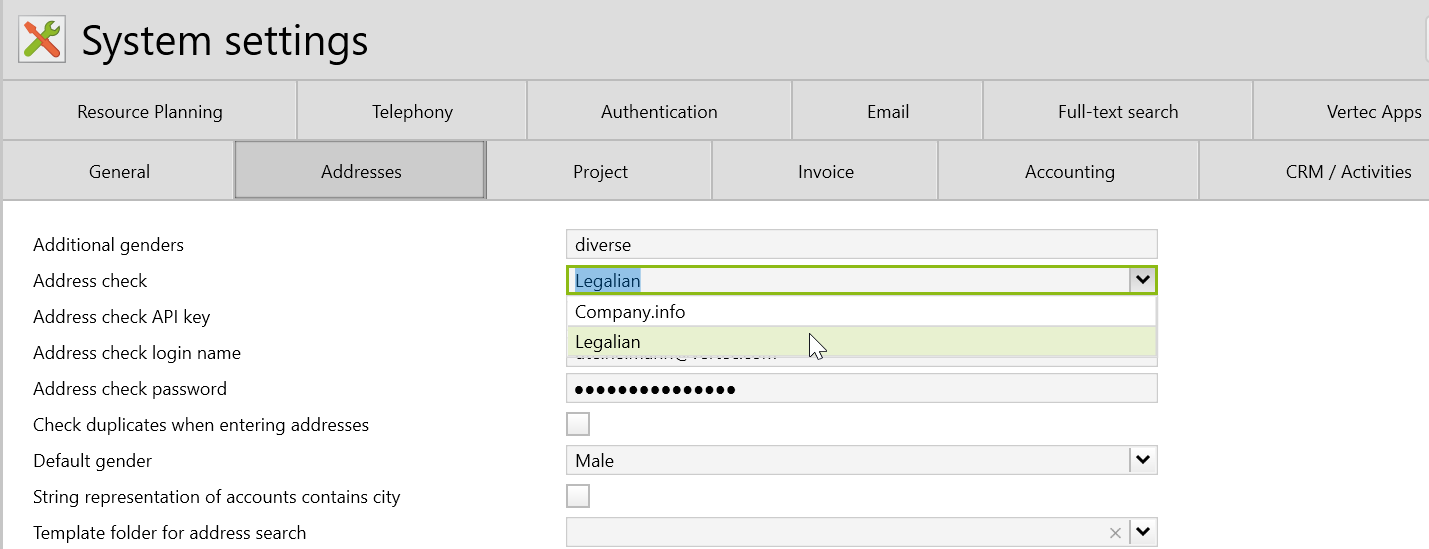
To work with this, a contract with one of these providers is required. The login data must be stored in the system settings in the tab Address.
Company.info only needs one API-Key. For Legalian, API key, login name and password must be registered.
Application
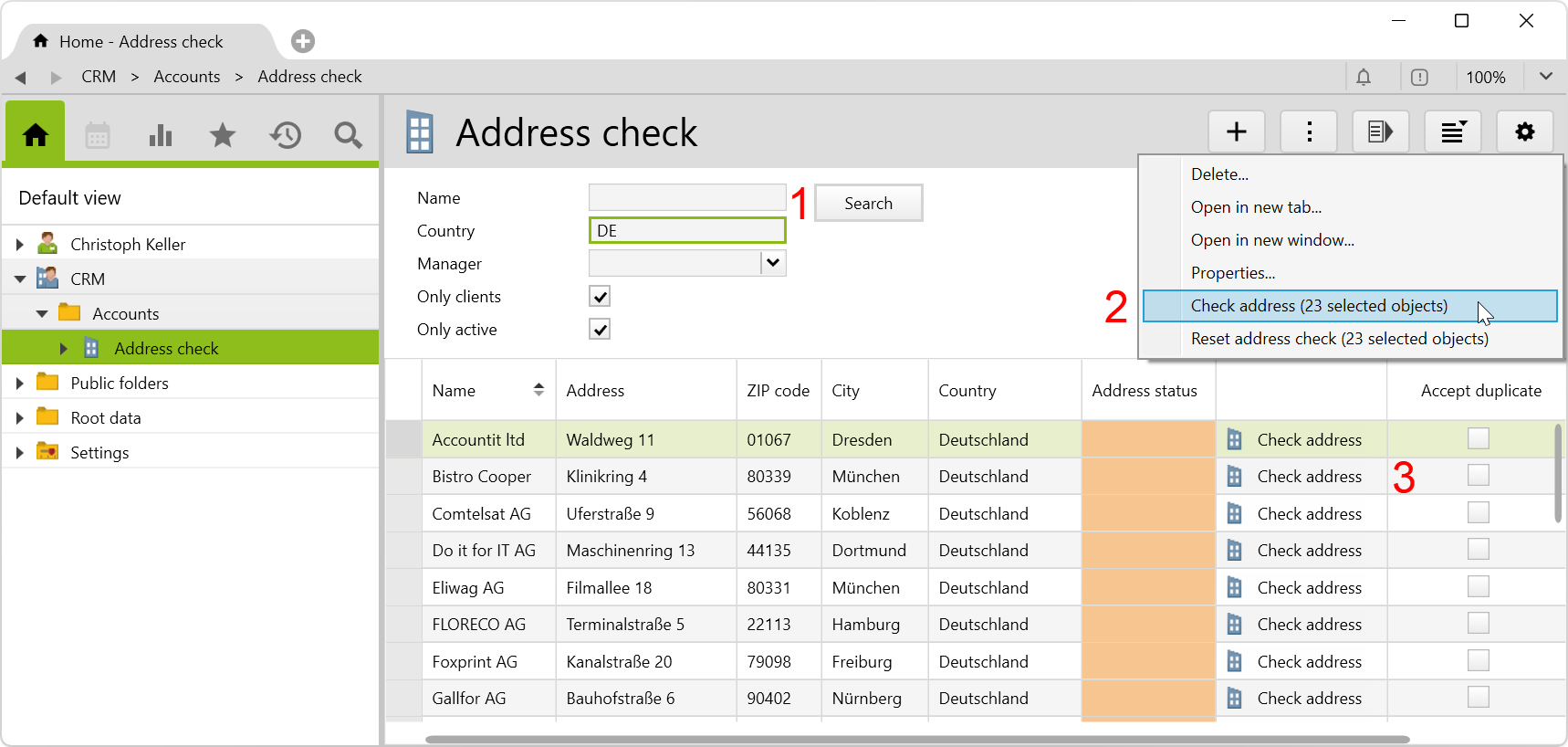
After importing the additional feature, you notice an Address check subfolder is available in the CRM root folder under Accounts.
First, you have to click on the Search button so that the address search can be triggered (1) – with or without filtering by name and/or country and/or manager. The check can then be performed either on the entire list via the Actions menu (2) or on a single entry (in a single tab or in the list) via the Check address button (3):
For users to be able to perform the address check, they must be at least assigned to the user group address administrators. Assigning allows them to check individual addresses. To perform the check on the list, assignment to the folder access CRM user group is also required.
The following address data are retrieved or checked: name, address (street and house number), ZIP code, city, country and commercial register number. Company.info also checks telephone number, email address and homepage, whereby the search returns a maximum of 20 entries and only German registers are searched (other countries are not taken into account).
After the check, a corresponding status is set in the list for each address:
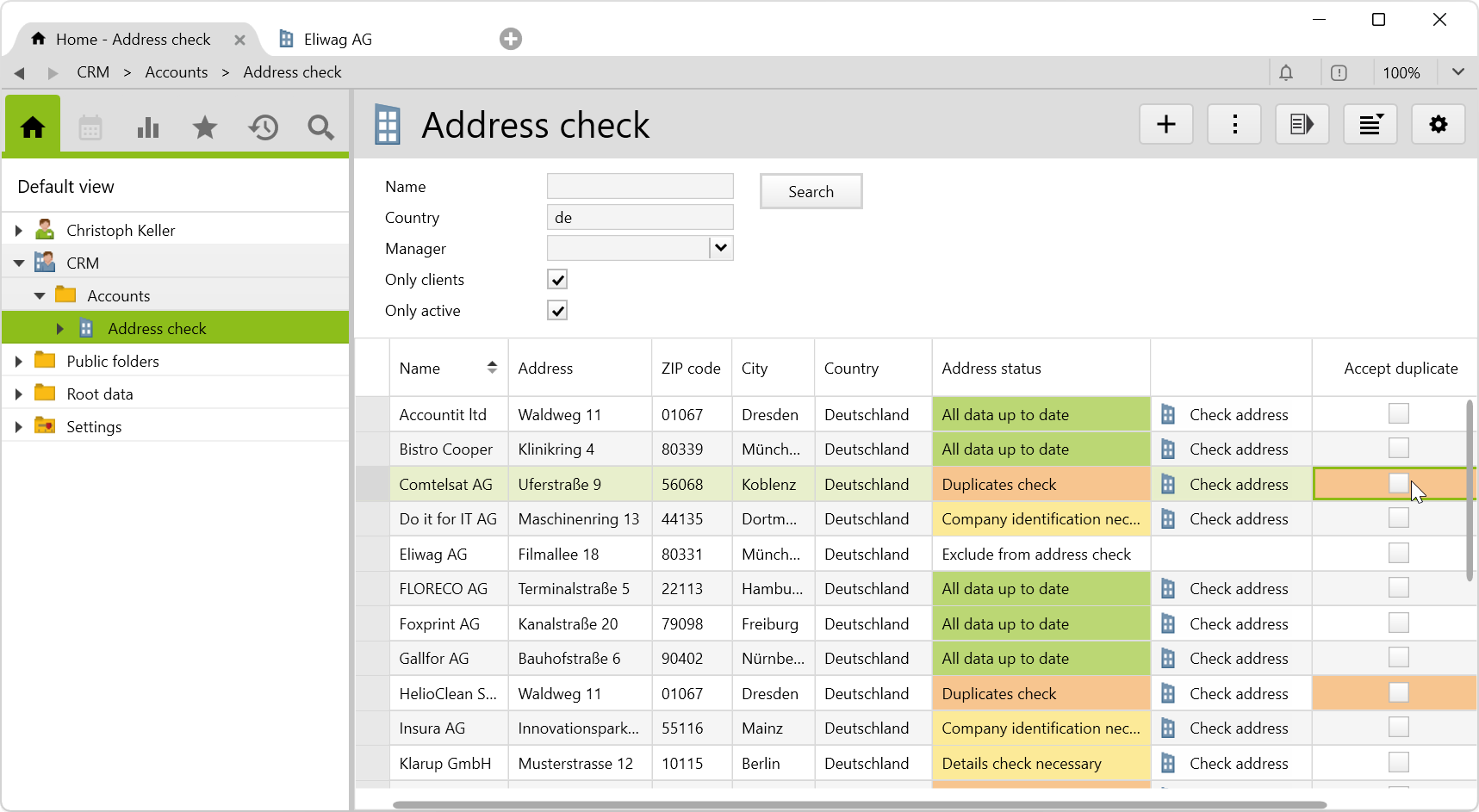
For example, if all data match, the company receives the status All data up to date. If deviations have been detected, the status is set to Details check necessary. The user can see the differences and decide which data should be adopted. The color differentiation of the status provides a quick overview of the results and which addresses require additional checks. By setting the status Exclude from address check, addresses can be manually excluded from the address check.
After completion of further identification or verification of duplicates, the status can be adjusted manually, or the checkbox Accept duplicate can be activated, which excludes the entry from future duplicate checks. This may be desirable, for example, if a company has several company addresses and these are kept as separate entries.
The results and changes are automatically saved so that the selection does not have to be repeated in future tests. With the option Reset address check in the Actions menu, the statuses can be deleted in order to be able to perform a new search.
The status of each address is recorded on the Keywords page:

Special features of address check
- Street names: The following variants are perceived as equivalents: Strasse, Straße, strasse, straße, str., Str.
- Countries: The comparison is made using the ISO2 code (e.g. DE), i.e. “Deutschland,” “Germany” or “DE” are perceived as equivalents.
- Telephone numbers: Numbers are considered identical if all digits are equal. Formatting (spaces, etc.) is ignored. A leading “+” is interpreted as “00”.
Scheduled task
You can regularly implement the address check via the scheduled task Address check. This task is deactivated by default and can be activated in the settings.
Note: Please be aware that the automated task, enabling more frequent checking, may result in additional costs incurred with the service provider used.
Automatically enter new addresses
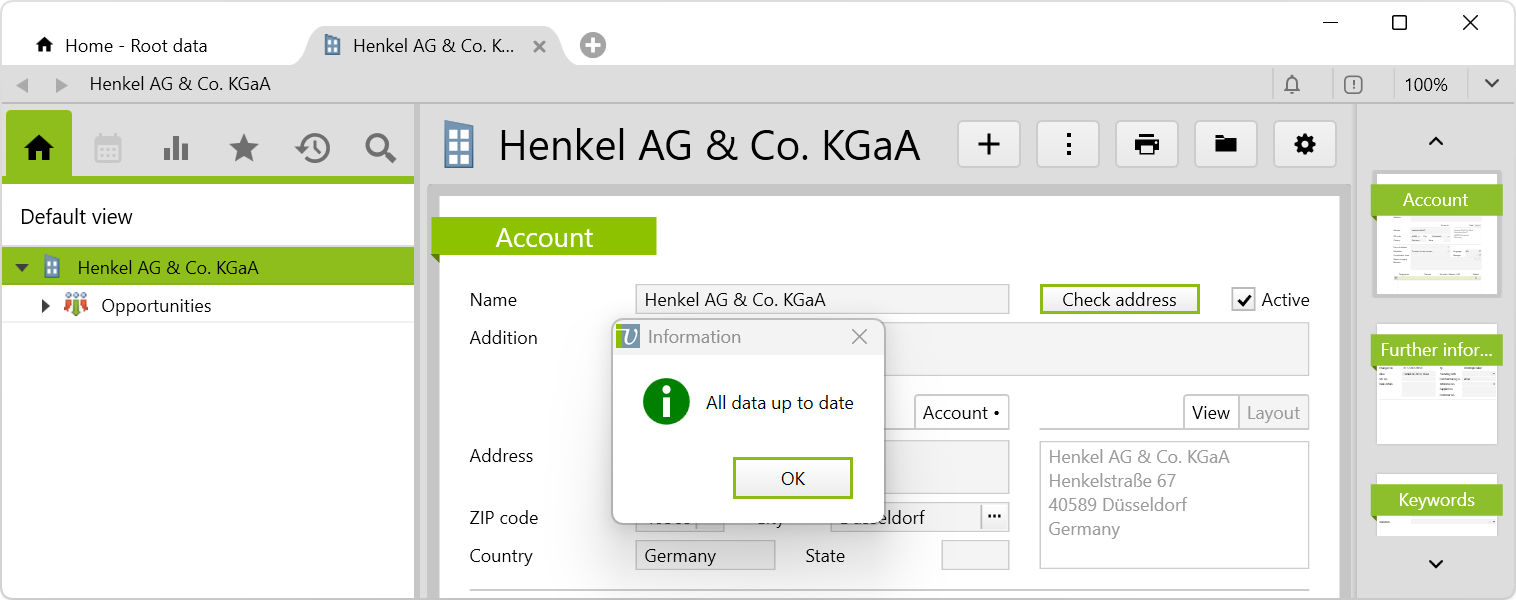
It is also possible to check addresses while they are being newly entered. To do this, create a new address of type Account, enter the name and the country, and click on Check address. If the address is valid, the data such as street name, ZIP code, city, country and commercial registration number are automatically filled in and the message All data up to date appears. This automatically generates the address status and omits the need for additional address checking in the CRM folder.
Note: When entering addresses, we recommend that you deactivate the default setting Duplicates check when entering addresses in System settings > Addresses.
Download
Before importing the config set, we recommend you read Key information about the additional features. Config sets modify data in Vertec, which can overwrite existing data.
The exact import process is described in config sets.
You can download the additional feature with the following link:
| Version requirement | Download |
|---|---|
| 6.8.0.1 | Configset_AddressCheck.xml |