
Firebird is the database server that comes standard with Vertec
 Cloud Suite
 On-Premises
Firebird is the database server that comes with Vertec. It is installed by default by Vertec Setup. We ask that you use the included version of Firebird, as it is designed to work with your version of Vertec. We do not recommend installing it manually.
The following Firebird databases are included:
Note: Vertec supports Firebird 5, therefore we recommend upgrading to Firebird 5.
The Database Section in the Vertec.ini configuration file typically looks like this for a Firebird configuration:
Servername=SERVER:\Programs\Vertec\DB\Vertec.fdb
User Name=SYSDBA
Password=UDQsK8owKnIwIF+Z
The Servername parameter specifies the connection to a specific Firebird database on a server.
In the standard form, server name consists of the name of the host on which the Firebird server is running and the (local) path of the database file on the server, separated by a colon. A server name in this form causes a connection to the Firebird server via TCP/IP.
If the computer name is prefixed with two backslashes and a backslash as separator (\\SERVER\C:\Program Files\Vertec\DB\Vertec.fdb), NetBEUI is used as the network protocol to connect to the Firebird server.
The database must be running on a local disk of the machine with the Firebird installation.
If Vertec is running on the same machine as the Firebird server, the computer name in server name can also be omitted (only the database path in server name). In this case, a local connection is established, which does not require a network protocol.
Logins and passwords are defined per Firebird instance (Firebird Server). Therefore, they are database server specific and are not created per database.
User name under Firebird is always SYSDBA. Firebird stores user accounts in a security database (usually ) in the Firebird installation directory (you can have as many security databases as you want). The actual databases only refer to users defined in them. This means that the database system administrator (SYSDBA user) does not log in to the database, but to the Firebird server.
Password specifies the password to log in to the Firebird server. This value is retrieved during Vertec installation and entered encrypted here. If for some reason this did not work or you need to change the password, you can encrypt your password using the Customer Portal and enter it here.
Firebird saves its data in so-called pages and applies them as a whole into memory. The maximum quantity of pages that can be saved in memory is determined by the buffer size. The performance of the Firebird database can be improved by providing the database server with more memory for its database. Read more about this in the article Firebird Performance, Pages and Buffer Size .
Since Firebird as a default database can already be installed by the Vertec Setup program.
If Firebird is installed separately, the SYSDBA user’s password is set to the default value masterkey. First, the password needs to be changed after the installation, as this is publicly known.
To do this, Firebird provides the command line tool gsec. Open the command prompt in the bin subdirectory of your Firebird installation and run the following command:
gsec -user sysdba -pass masterkey -mo sysdba -pw mynewpasswordThereby, the password masterkey ist changed to mynewpassword.
So that Vertec has access to it, the new password must be encrypted via Customer Portal and inserted in Vertec.ini.
If you are upgrading from a previous Firebird version to a Firebird version 4.x, you will need to customize your Vertec backup file if you are backup via gbak. Otherwise, the backup will not work after the update. For more information, see Backup via gbak.
Firebird comes without a GUI Manager program by default. Therefore, the Vertec Setup also installs an administration program in the Vertec installation directory, with which Firebird database files (*.fdb) can be opened by double-clicking.
As of Vertec version 6.7.0.11 this is the Firebird Editor Pro, in earlier versions IBQ.
The Firebird Editor Pro is stored in the FirebirdeditorPro folder in the installation directory of Vertec.
To open Vertec databases conveniently by double-clicking directly in Firebird Editor Pro, proceed as follows:
Vertec.fdb and select Open with > Choose another app.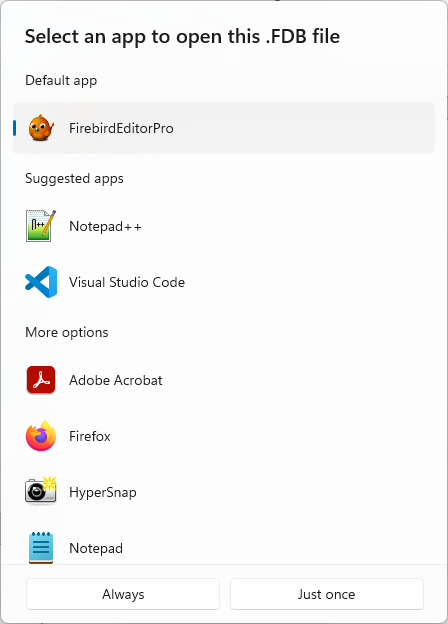
The first time you open a Vertec database with Firebird Editor Pro, you will need to enter your Firebird login (see Logins and passwords section above):
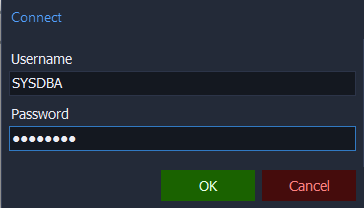
This is stored by default and is no longer queried for further accesses to the same database.
Then the Vertec database opens:
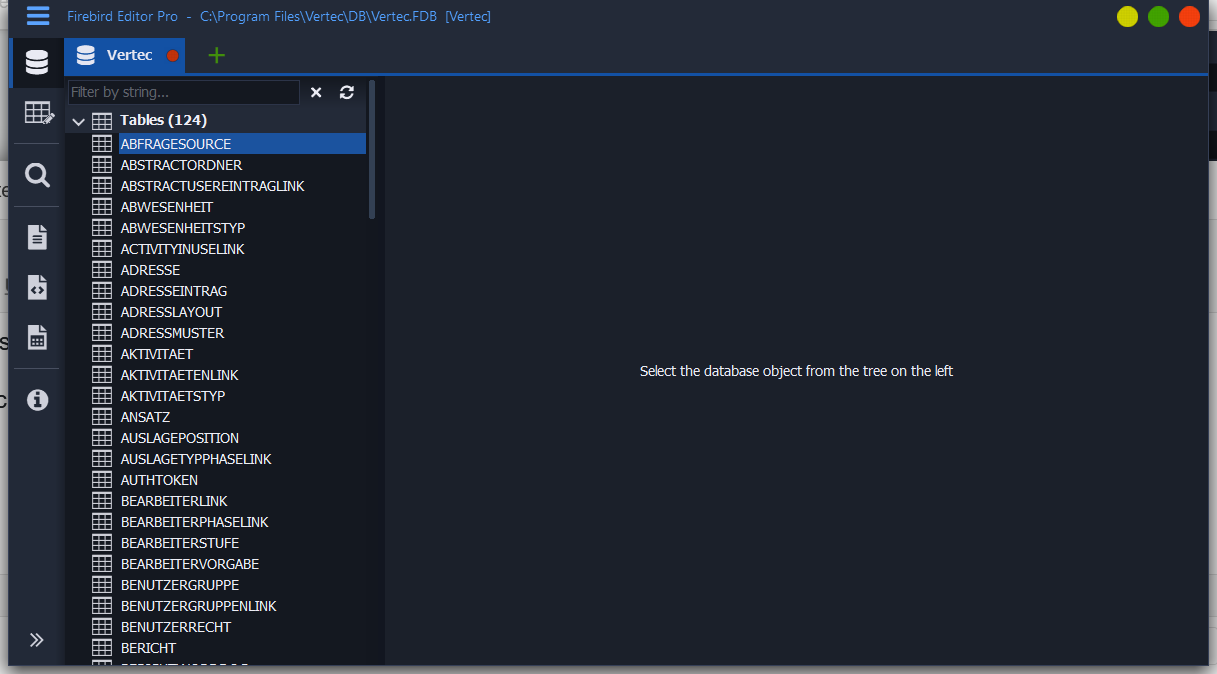
To manually create index statistics, see Database performance and index statistics.
For more information about Firebird Editor Pro, see https://www.texteditor.pro/firebird/.
Please note that this product is not manufactured by Vertec. Vertec cannot apply any liability for this product.
The program IBQ.exe is located in the Vertec versions before 6.7.0.11.
In IBQ under Session > Preference > Configuration the following settings must be made:
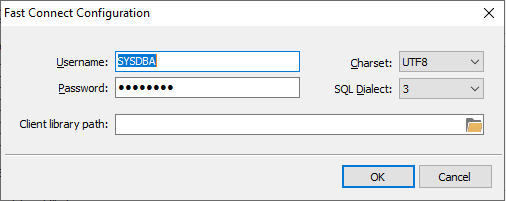
If the .fdb file extension is associated with IBQ (“Open file with,” see above), the Vertec databases can be opened directly by double-clicking.
You can find more information about IBQ under https://www.mitec.cz/wp/mibq/.
Please note that this product is not manufactured by Vertec. Vertec cannot apply any liability for this product.
Firebird stores the data in the database in a very structured way, so anyone can read and interpret the data if they know the structure. The data is also not encrypted, but the prerequisite is physical access to the file.
The Firebird server decides when to save changed data. Therefore, a file in use cannot be copied without reservation, especially not in a production environment. To back up the data online, there is the gbak Tool (Firebird backup Tool). This is a utility from Firebird for backing up and restoring databases (see article ). If a file is not in use (i.e. no Firebird server or other client has access to it), the files are not open and can be moved easily.
Vertec databases, like most databases out there, are not encrypted because such encryption is impractical for the following reasons:
In order to answer SQL queries, the database server must be able to read the database file. Thus, the database server must know a secret to decrypt the database file regardless of the login.
Accordingly, there are the following ways to deal with an encrypted database:
For these reasons, the Vertec databases are operated unencrypted. Please also refer to the section Logins and passwords .
Firebird is an open source project, which has been continuously developed over the last few years. All information about it can be found at www.firebirdsql.org.