
Additional feature for claiming travel expenses in Germany
 Cloud Suite
 On-Premises
For many German employees, it is an integral part of their monthly billing: the digital entry of their travel and catering expenses. For companies, checking and paying employees is a regular and time-consuming task that includes many individual work steps.
This additional feature implements the ability for companies in Germany to record trips. The resulting travel expenses to be reimbursed are automatically calculated and the corresponding receipts are posted.
You can find the download of the config set here.
Once the additional feature has been imported, the following basic settings for recording trips can be made:
In the root folder Settings > Projects > Travel destinations, the destinations and the corresponding daily rates must be entered (Administrators only). Germany, Austria and Switzerland are already predefined. If additional countries or additional rates per country are required, these can be entered here and via Active checkbox activated or deactivated:
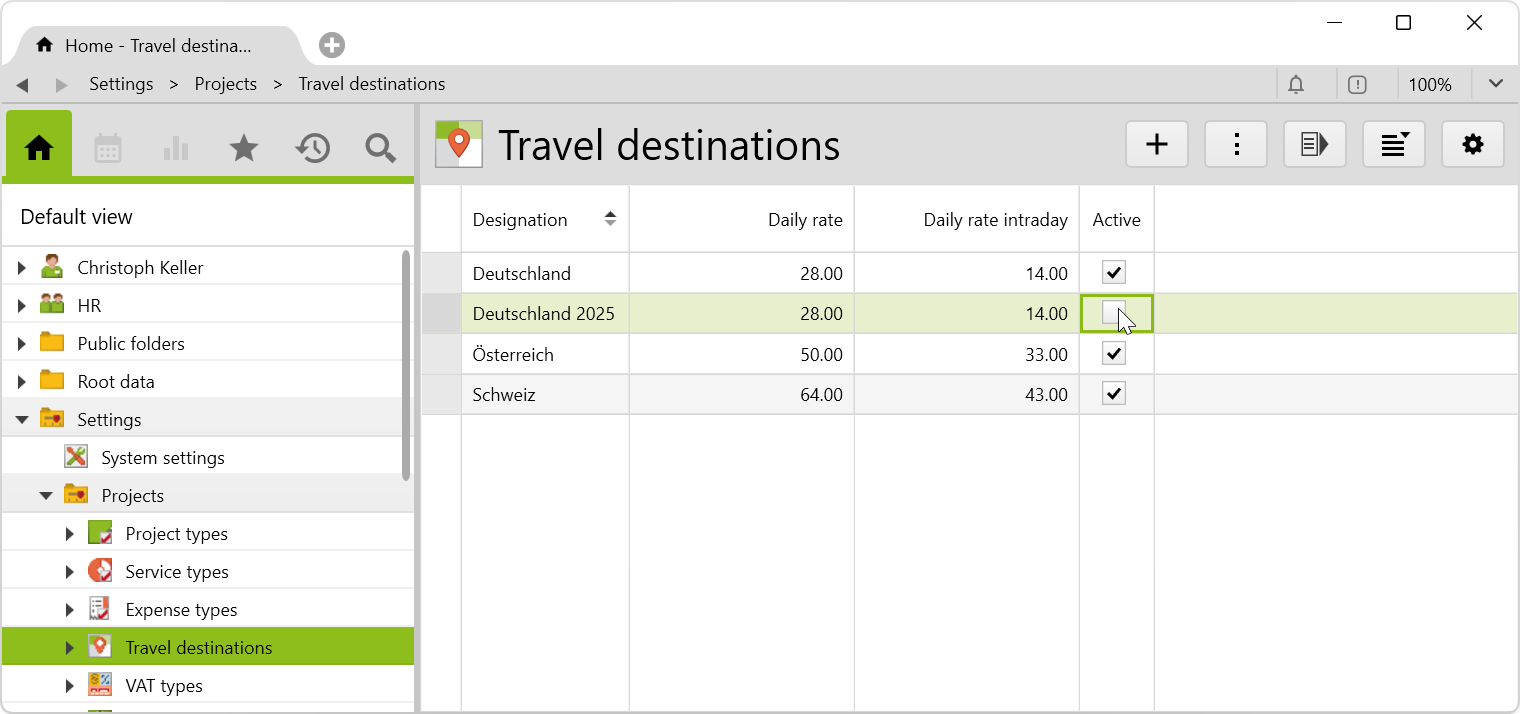
Only active destinations appear for selection when entering trips. The currency of the destinations is implicitly euro, so the amounts are always expressed in euro, regardless of the country concerned.
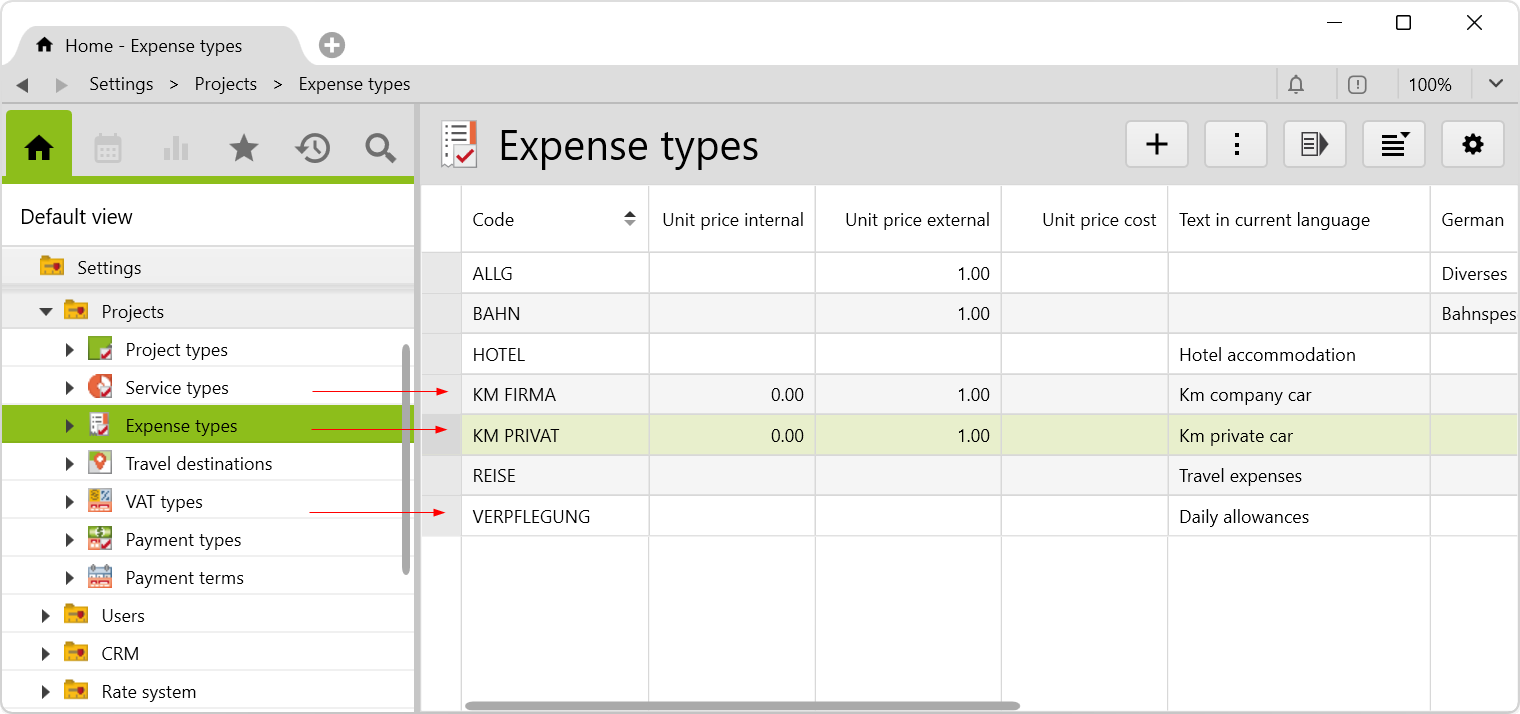
Assign the users to the user groups:
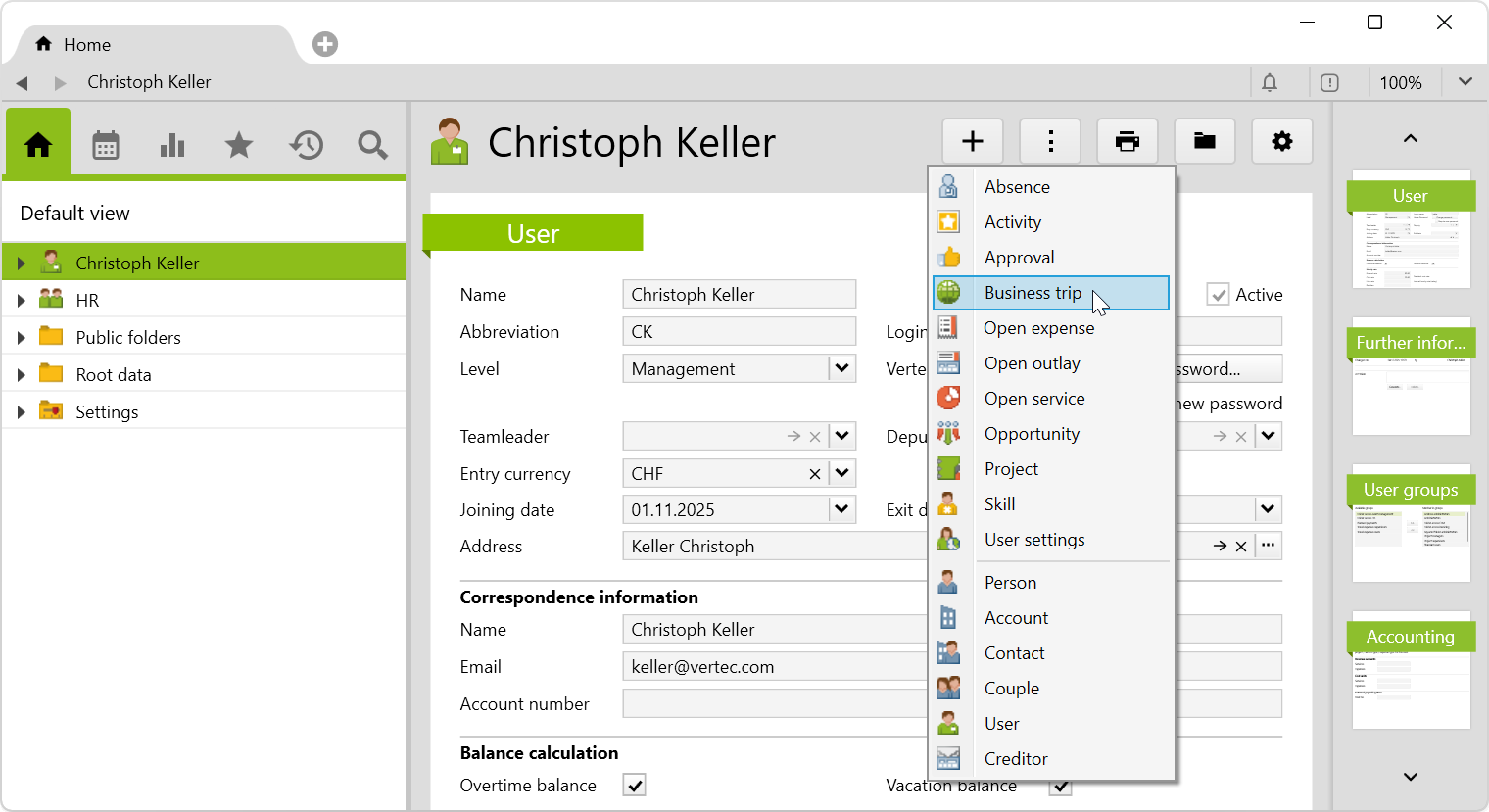
A new trip is created on the user by right-clicking or selecting from the new menu > Business trip:
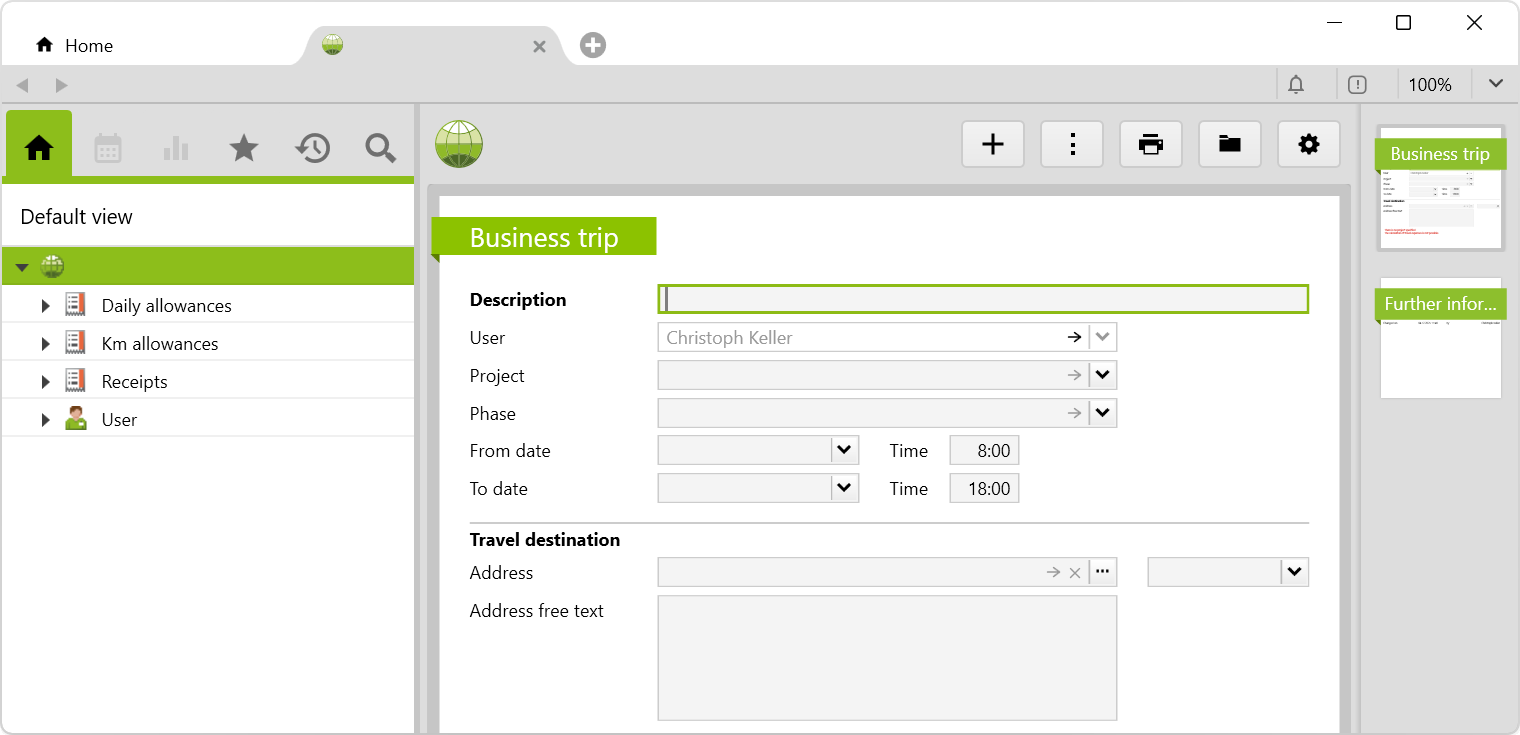
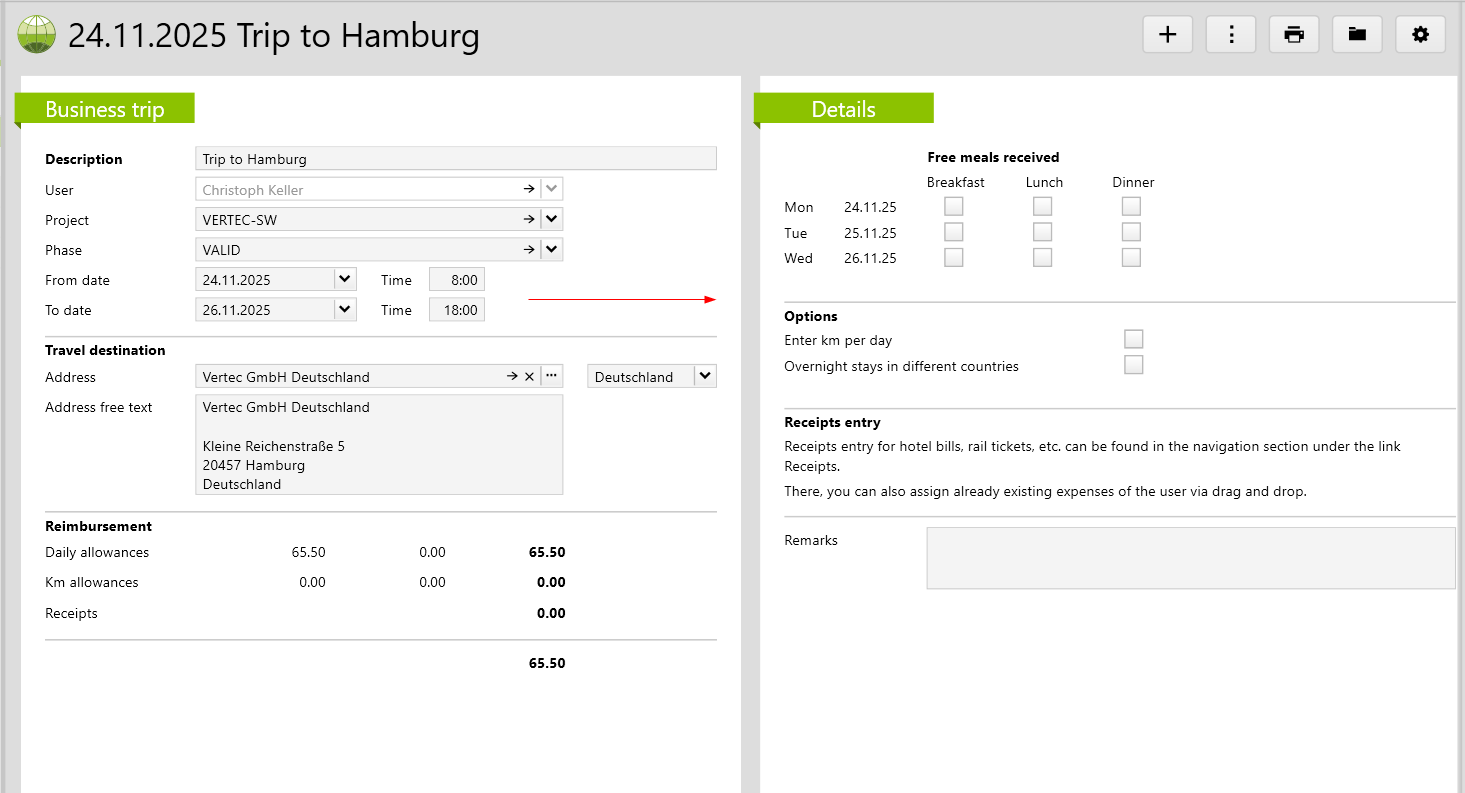
The following tab will open:
Description |
Enter the description of your trip here. The display of the trip consists of the from date and description. |
Project |
A trip must be assigned to a project. |
Phase |
If there are phases on the project, a phase must be selected here. |
From Date / Time |
The start date of the trip and the start time are specified here. |
To date / Time |
The end date of the trip and the end time are specified here. |
Travel destination |
As soon as a project is assigned, the address of the customer is automatically applied, if no address (Vertec address or free text) has been entered. This would not be overwritten even if the project was changed. If a Vertec address is selected, the address text is applied to the free text. This is especially useful, if there are several addresses with the same name but different addresses. |
Once a date range is entered, a second page appears where the trip details can be entered:
For each day of the trip the following can be entered,
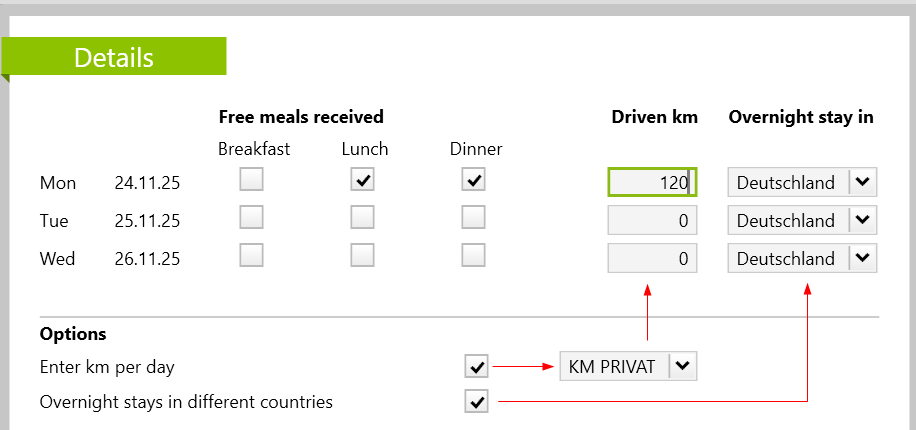
Based on this information, the meal and kilometer flat rates are automatically calculated and the corresponding expense reports are created. For the calculation of the daily allowances for the catering, the daily rates stored in the destinations are relevant. Depending on the destination, the following applies:
These daily rates shall be reduced as follows:
Also on a day of arrival/departure or a day with a stay <= 24 h, there are deductions for meals received free of charge. However, deductions are always calculated on the basis of the full daily rate (breakfast is not cheaper because you stay at the location for less time). This means that the sum of deductions may be higher than the rate to be refunded. In this case, there are 0 euros refunds, there are no negative amounts.
The flat rate per kilometer is created and calculated according to the type of expense selected (Km private car or Km company car). If Km company car is selected, travel costs are usually not reimbursed because the employee is then travelling with the company car and the company covers the costs directly.
The currency of the destinations is always implicitly indicated in euros.
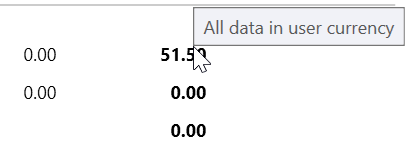
The currency in business trip lists and pages is always specified in the user's currency. If you place the cursor on an amount, a corresponding tooltip appears:
Additional documents can be entered manually in the business trip entry in the receipts subfolder.
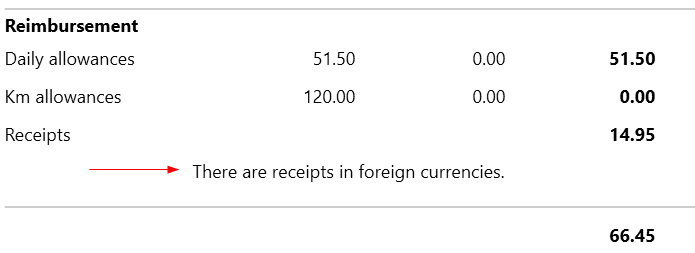
For example, when posting documents in currencies other than the user’s currency, a notice is shown on the business trip page that documents in foreign currencies are available:
All entered trips can be viewed in the subfolder business trips in the root folder HR:
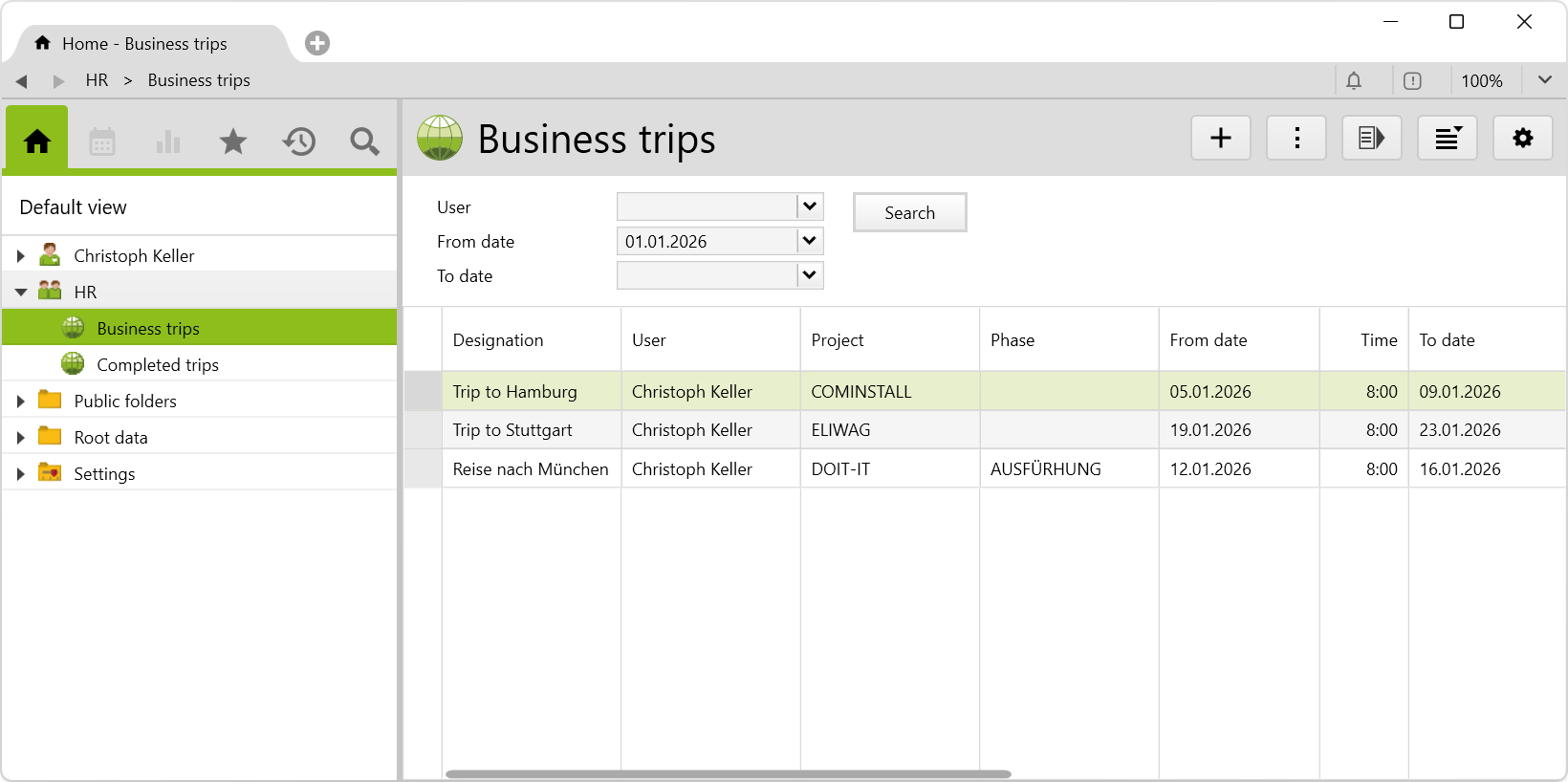
If business trips are already in the past, you have the option to complete them. This will keep the list in the business trips subfolder up to date.
To do so, select all corresponding recorded trips under business trips and by right-clicking or navigating in the actions menu, you select Complete business trip. The message for the completed trips will then appear and they will be moved to the completed trips subfolder:
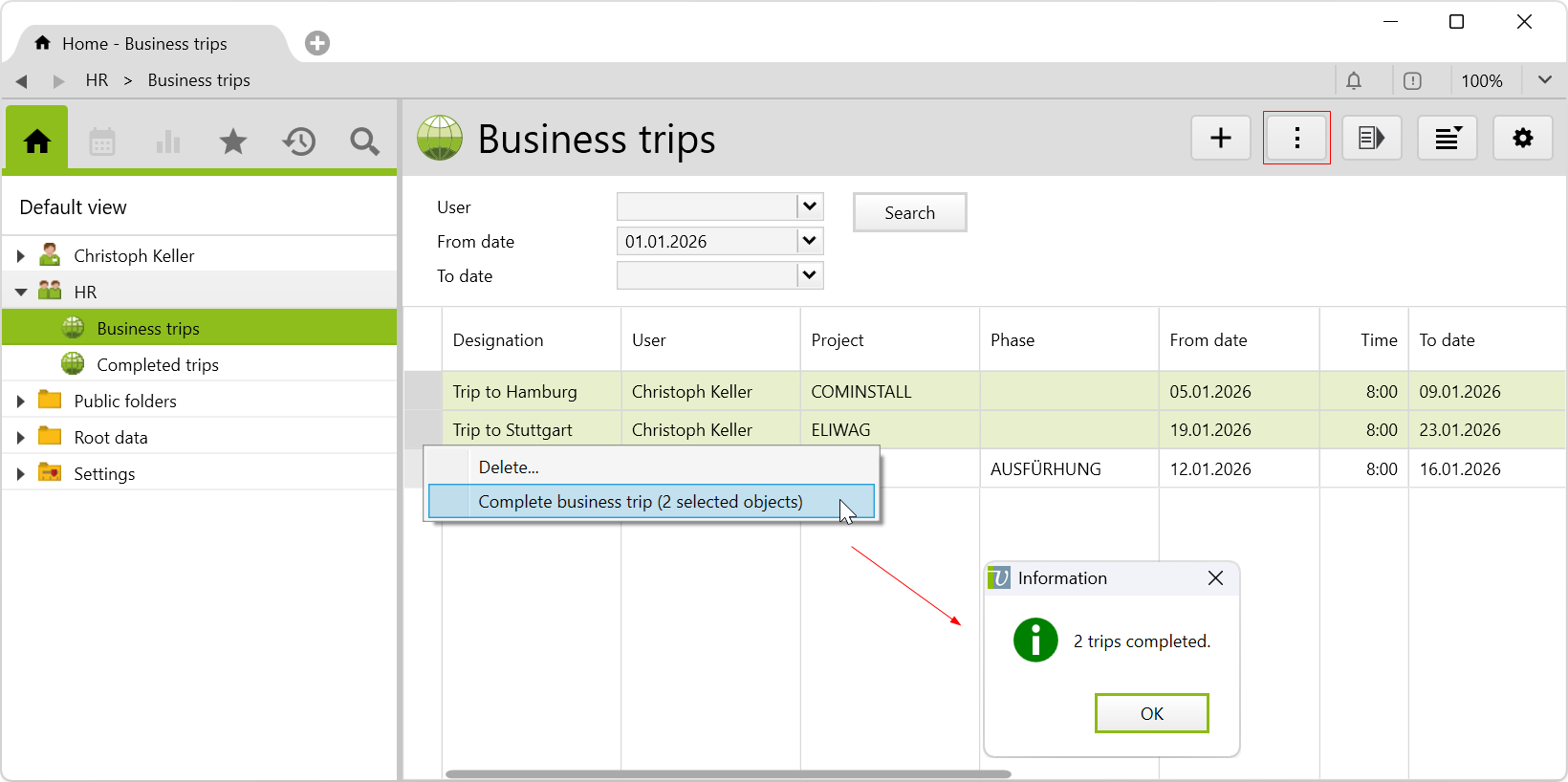
If you want to undo the previous step, the completed trips can be selected and reopened by right-clicking or navigating in the actions menu and select Reopen business trip.
Note: Only users assigned to the user groups project Supervisors and administrators can complete and reopen business trips.
For each trip, the travel expenses report can be created via print menu. All relevant amounts are listed and the amount to be reimbursed to the employee is shown. Deposited expenses receipts are printed in the attachment.

A trip can theoretically still be changed, even if expenses of the trip have already been charged. In this case, however, these expenses can no longer be adjusted. There is then a corresponding note on the travel page:

argobject.eintragid="ExpenseTypeKMPRIVAT" or argobject.eintragid="ExpenseTypeKMFIRMA" on the respective expense type.Before importing the config set, we recommend you read the article Key information about the additional features. Config sets modify data in Vertec, which can overwrite existing data.
The exact import process is described in config sets.
You can download the additional feature with the following link:
| Version requirement | Download |
|---|---|
| 6.8.0.20 | ConfigSet_ReisekostenDE.xml |