
The AML check assists you in the implementation of the requirements of the revised Anti-Money Laundering Act (AMLA) and serves as a guide to systematically and comprehensibly comply with the due diligence obligations.
 Cloud Suite
 On-Premises
The revision of the Anti-Money Laundering Act (AMLA), which regulates the combating against money laundering, terrorist financing and due diligence in financial transactions, introduces additional requirements. This affects not only banks and other financial intermediaries, but also other actors.
Consultancy firms such as law firms, trustee offices or tax consultancies are also subject to these obligations. In the case of consultancy services such as the purchase and sale of land, the granting of domicile or the establishment of companies, due diligence obligations must be observed. This includes obligations such as identification and determination of the beneficial owner, risk assessment and documentation and retention of the relevant information.
In order to meet the requirements of the revised legislation and so that your internal processes can be optimally and easily aligned to it, the additional feature AML check has been developed. You can find the corresponding config set here.
More detailed information on the AML obligations can also be found in our blog article GwG Revision 2026: What Law Firms and Fiduciaries Need to Know Now.
This additional feature can also be combined with the execution of the KYC (Know Your Customer) check. More on this can be found in the application section.
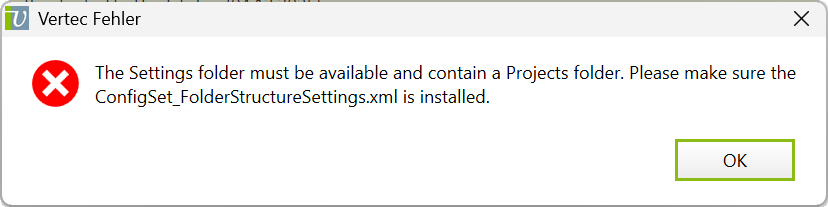
Make sure that the settings folder structure is included in your Vertec, otherwise, you will not be able to use this additional feature and the following message will appear:
To use the additional feature, the user should have write permissions on the projects and these are assigned to the user group Standard users by default.
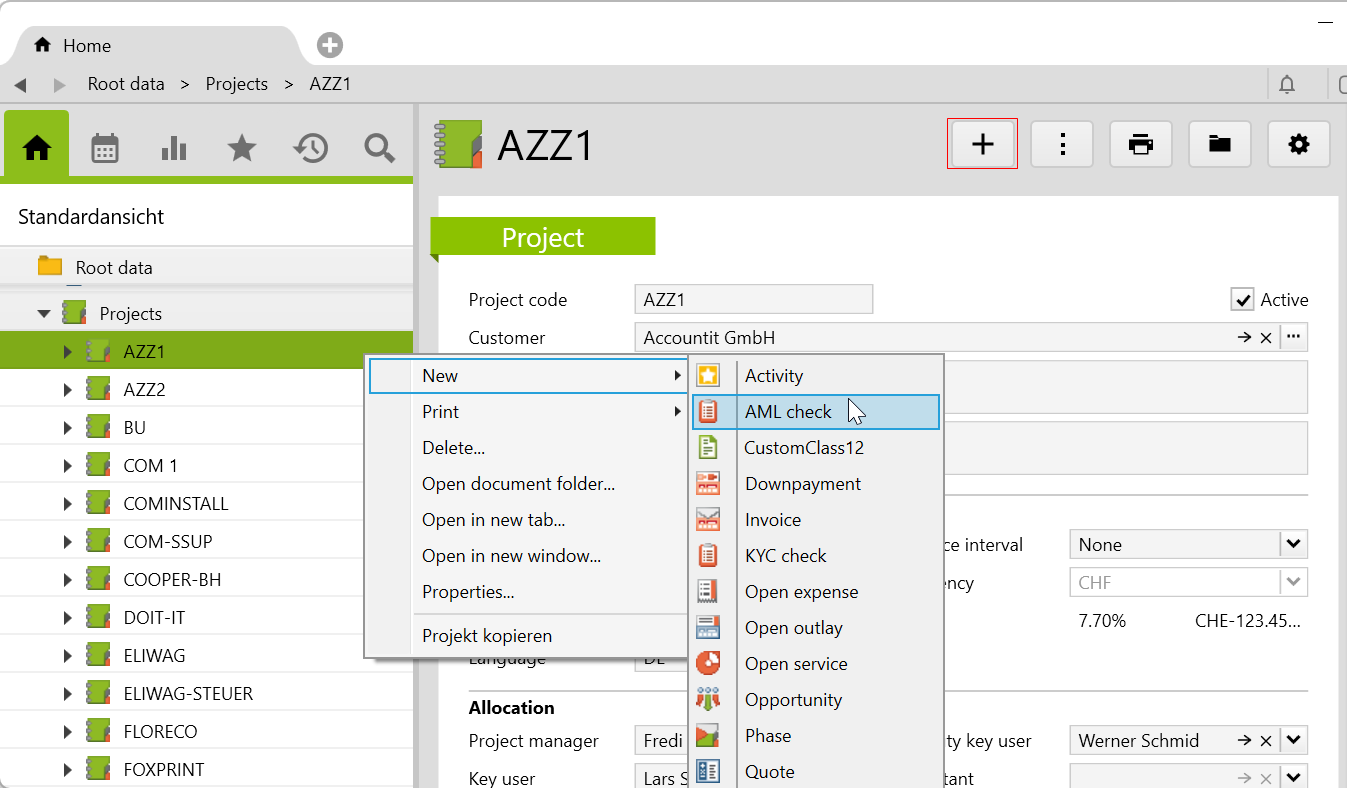
If you right-click on a project New > AML check or create a new entry via the menu > +, you will be taken directly to the page where the questions can be answered.
The following picture shows a complete sequence when the case or project is positively covered by the AML obligation. After each selection of an answer, the responsible user, time and date are tracked. The answers can be changed and the order is then automatically adjusted.
Once you have confirmed that the check has been completed, activate the I confirm that I have performed the check properly and in full. checkbox at the end. This checkbox can only be activated once and it is not possible to undo this step. On the Further information page, you can record additional remarks.
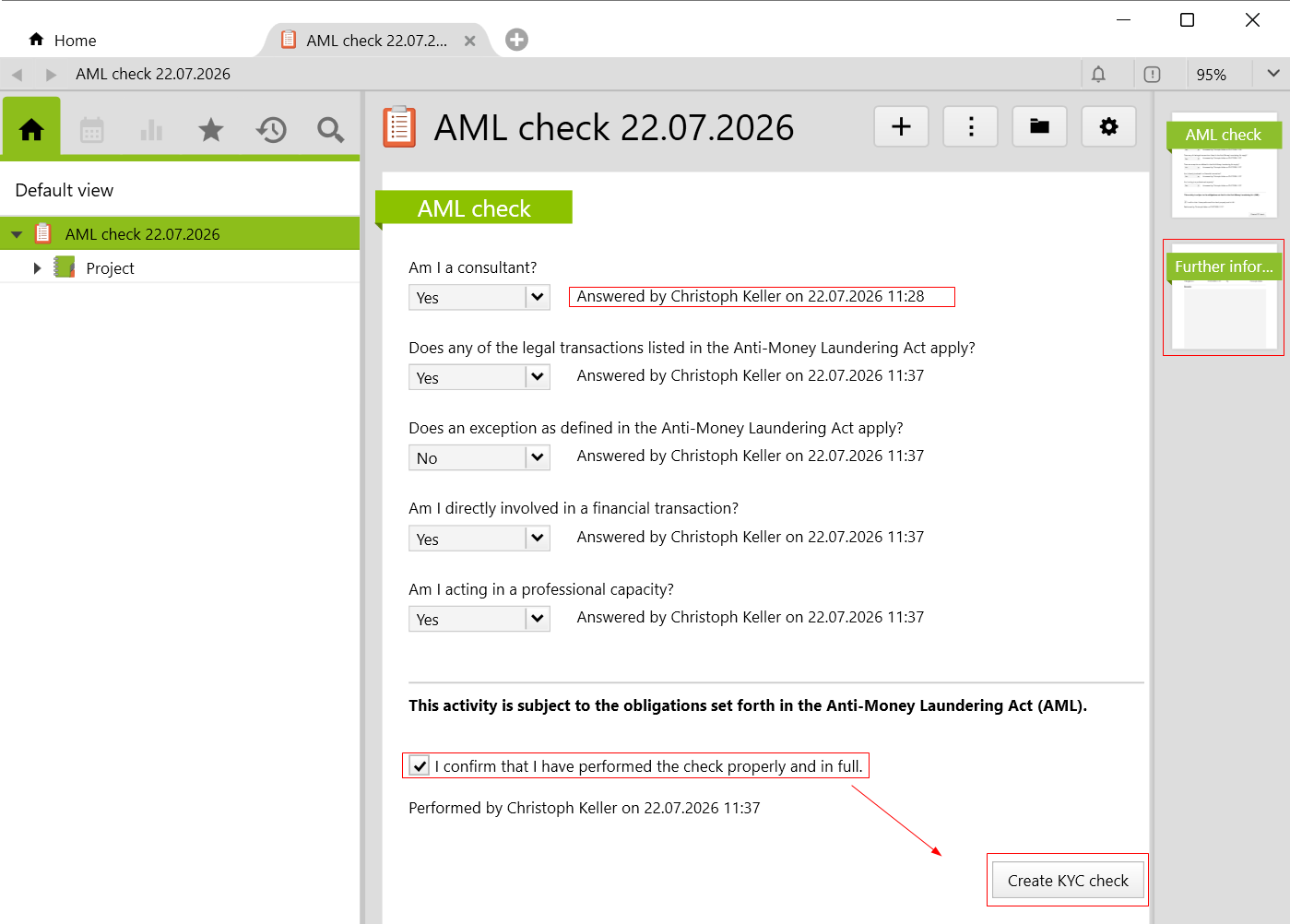
It is possible to use this additional feature in combination with the additional feature KYC (Know Your Customer). For this, the feature must be imported beforehand and the button Create KYC check will only be shown as long as a positive AML obligation is given.
The project-related AML check are linked in the list in the project or in the case, where the creation date, the user and the result of the check are shown.
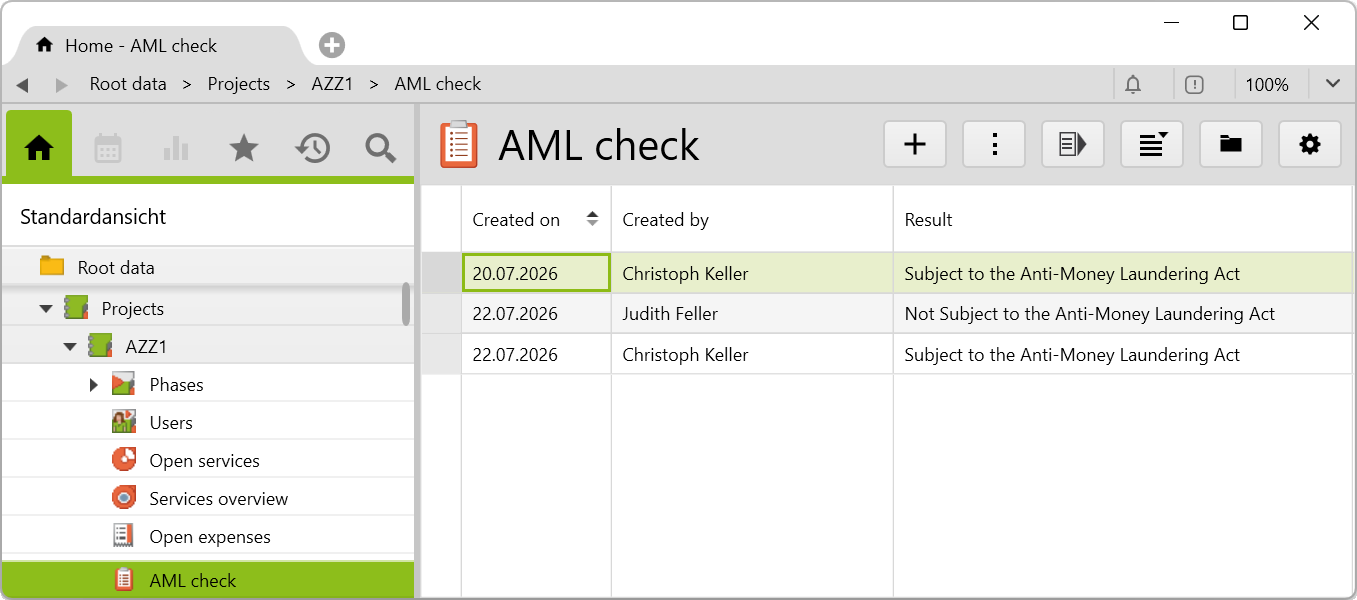
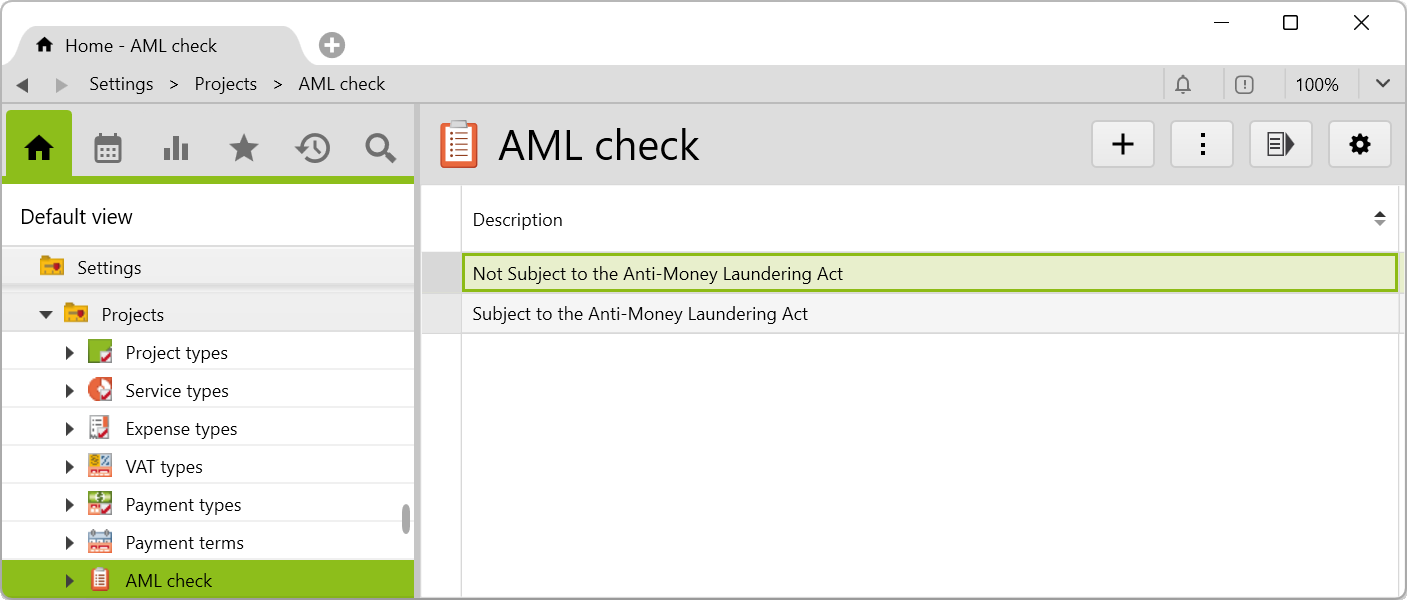
All AML checks can be viewed in the AML check list, which is located under Settings > Projects. By double-clicking on an entry, it will take you to all AML checks that have been completed under the corresponding result.
Before importing the config set, we recommend you read the article Key information about the additional features. Config sets modify data in Vertec, which can overwrite existing data.
The exact import process is described in config sets.
You can download the additional feature with the following link:
| Version Requirement | Download |
|---|---|
| 6.8.0.20 | ConfigSet_AMLCheck.xml |