
VAT settings
Description of the VAT settings and how to use them
Operating mode
 Cloud Suite
 On-Premises
Modules
Invoicing
In the folder Settings > Projects > VAT types, you can define the different VAT types that you use in Vertec.
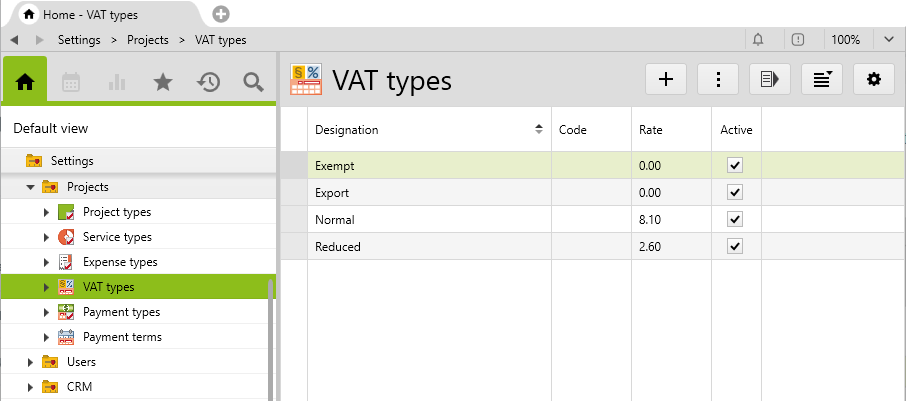
The four VAT types shown here are created by Vertec by default and configured country to the country you specify in the Vertec Configurator or when you first launch of Vertec.
This information can be adjusted and supplemented here or additional VAT types can be created. Unused VAT types can be deactivated and will not appear anywhere for selection.
Defining standard VAT type
The mainly used VAT type will be defined as default in the system settings invoice > Standard vat type.
At the Project Types level, the default VAT type can be overridden. Projects use the VAT type of the project type.
The individual VAT type
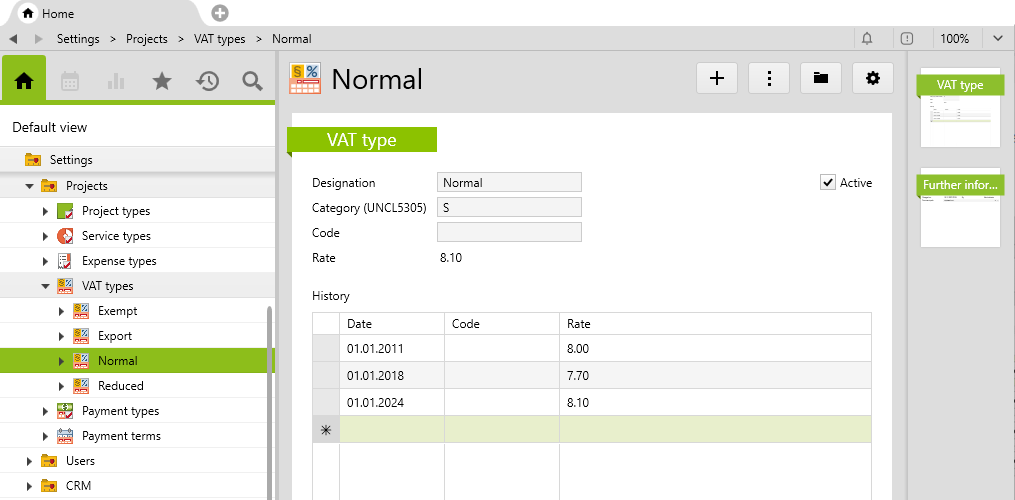
Category (UNCL5305) |
From Vertec 6.8, you can indicate here the tax category according to UNCL5305 for using e-invoices, e.g. in the ZUGFeRD implementation of the standard Vertec invoice templates supplied.
|
Code |
The code is used if financial accounting is connected via an Extension. In this case, the code must correspond to the one in the accounting system, in combination with the rate. The code can either be fixed on the VAT type, if it never changes, or in the individual date lines, if it changes with the rate. |
Rate |
The current rate is set in the history list and is marked with the date from which it is valid. For example, when the VAT rate is changed, a new line row with the corresponding date can be entered. Vertec will then automatically use the new rate as rate entries fall into this date range. The current VAT rate is shown above the list, so you can see at a glance which approach applies rate today’s date. |
Wherever VAT is used, the code and rate per date is used. The date of the entry (service, downpayment, etc.) is applied. In the case of fixed-price phases, the closing date is used to calculate the VAT.
If an invoice has project entries with different VAT rates, the relevant detail item rows appear:
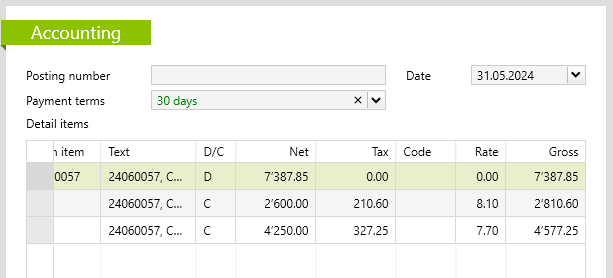
- As long as the invoice is open, the detail item rows change immediately when you adjust the details of a VAT type
- Once the invoice has been charged, the codes and rates of the detail items remain fixed and do not change when adjustments are made to the VAT type
- The list of detail items has a column for the VAT rate to show why there are multiple rows.