
BI Fiduciary KPIs
BI generator for showing of basic key measures on turnover, costs and budget. The config set was designed specifically for fiduciaries.
Operating mode
 Cloud Suite
 On-Premises
Modules
Controlling & BI
When you import this config set, the Controlling BI root folder is created (unless it already exists via the config set Controlling and BI root folder). This contains the Fiduciary KPIs subfolder. The measures provide an overview of turnover, costs and hours, which can be classified from the perspective of projects, user roles and customers. Furthermore, comparisons between the planned and actual fees and costs as well as planned and cumulated recorded hours from the resource planning are drawn up for projects.
Note: The config set can also be used without resource planning. In this case, the turnover forecast values are zero and the BI view shows the current status of the project without planning values (see section below Budget and Forecast).
To access the folder, the users must be assigned to Folder access Controlling and BI user group.
This application is an additional feature. You can find the corresponding config set here.
Application
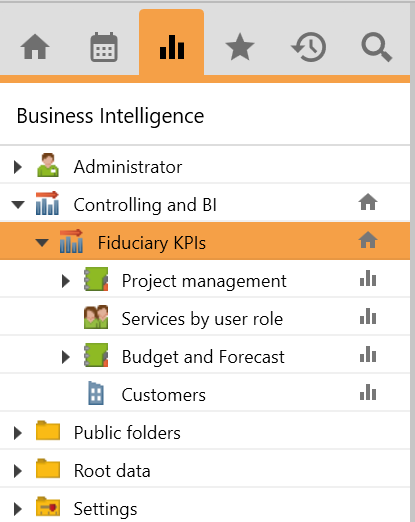
The config set creates the subfolder Fiduciary KPIs in the Controlling and BI root folder with the following four subfolders: Project management, Services by user role, Budget and Forecast, and Customers.
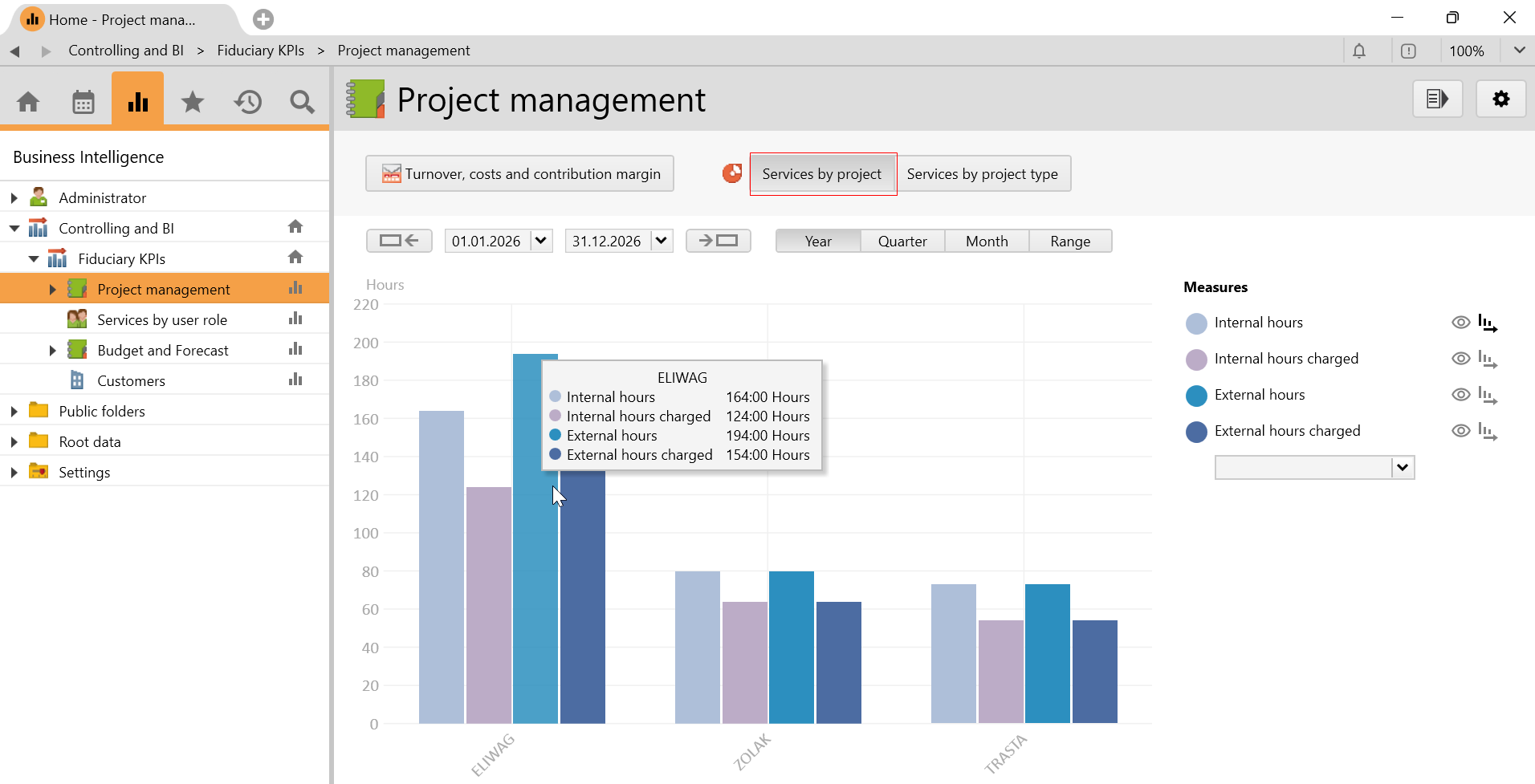
Project management
In this folder, measures such as turnover of services, outlays and expenses and the costs as well as the contribution margin are shown in relation to the projects. Furthermore, the hours can be grouped in two further BI views based on project or project type.
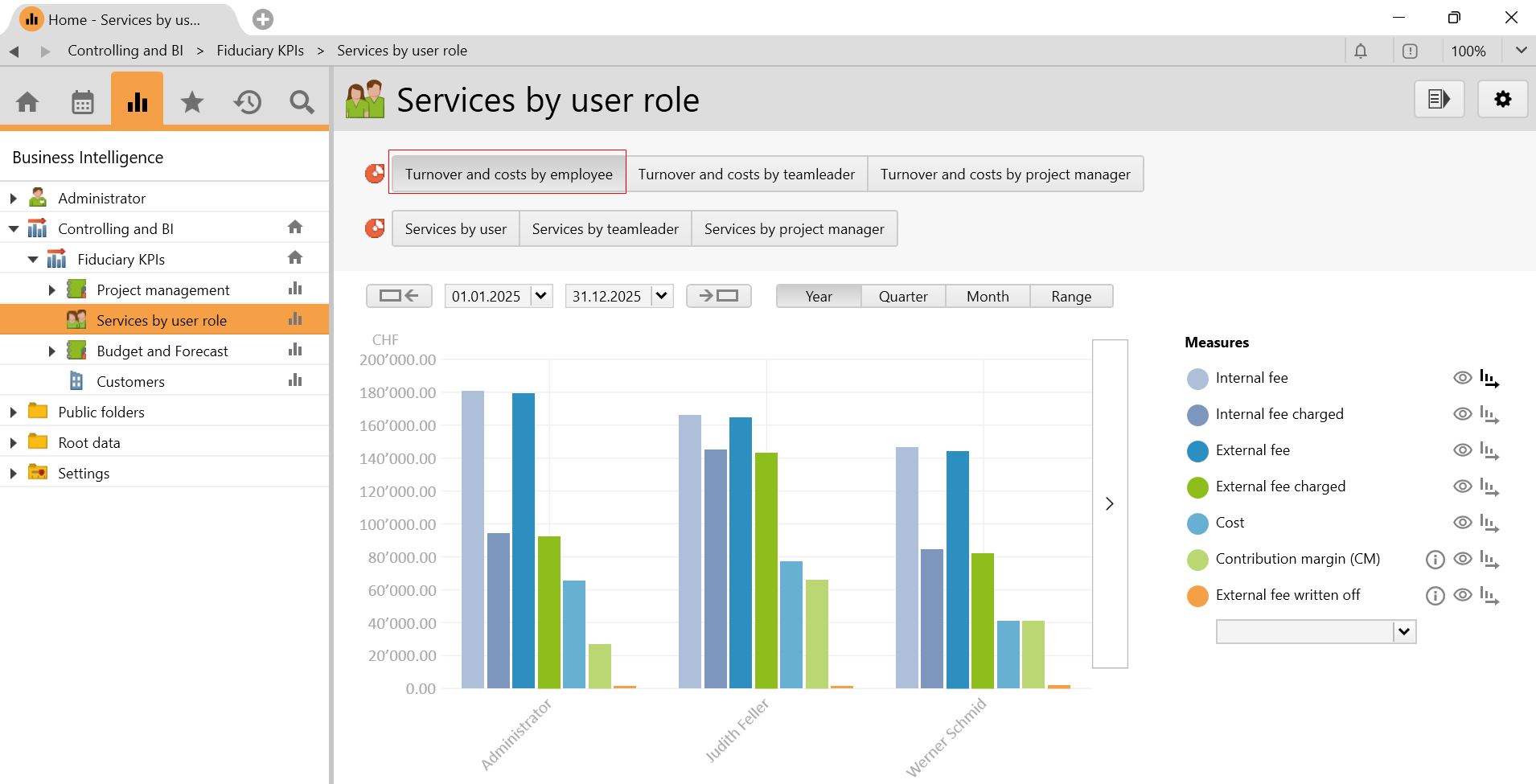
Services by user role
In this folder, project-based measures of realized turnover, costs in amounts and hours are shown from the perspective of the user role such as employee, team leader, and project manager.
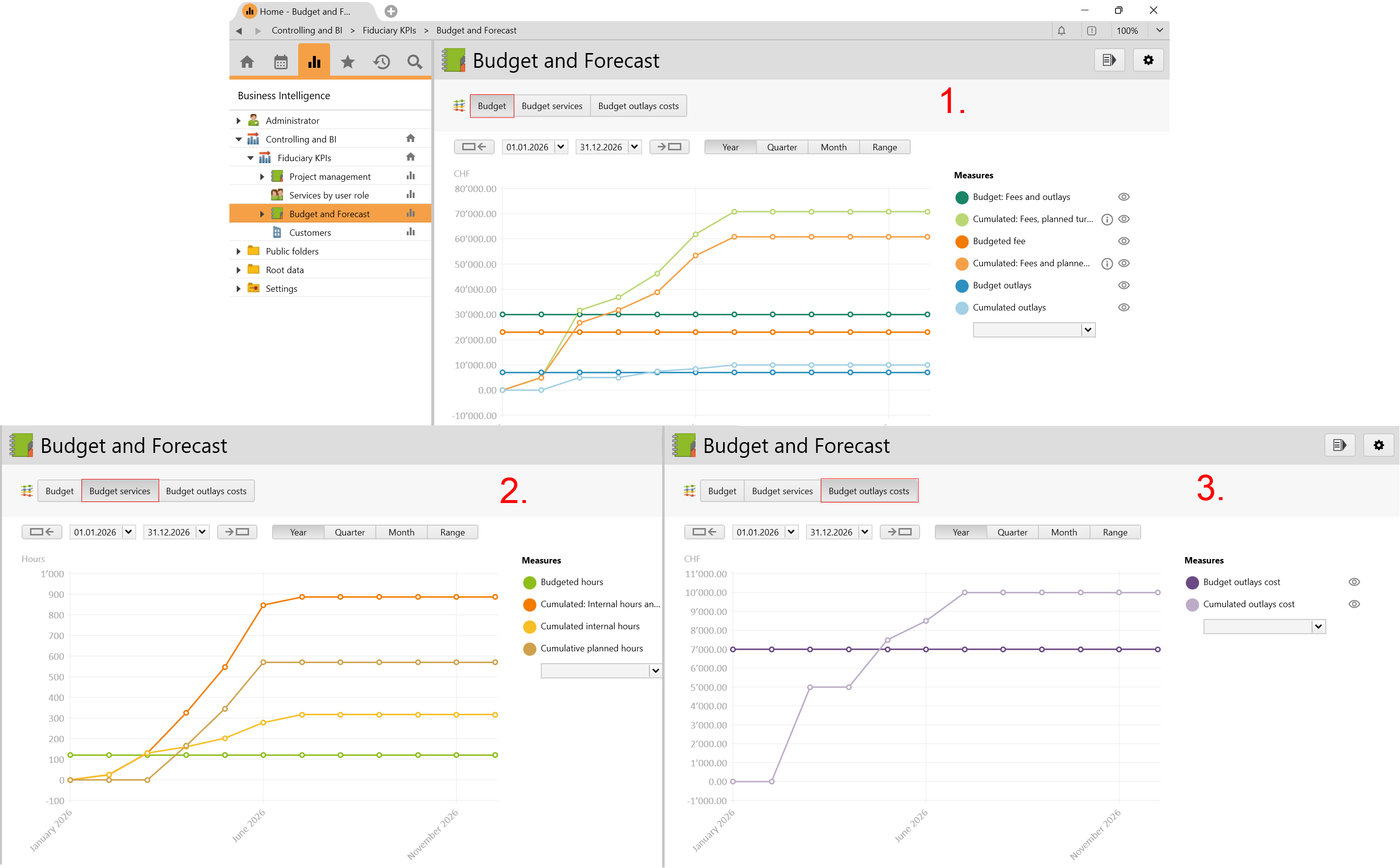
Budget and Forecast
In this folder, you can create comparative analyses between the planned and actual values from the budget.
-
Budget
This view shows the measures of budgeted and cumulated fees and outlays from resource planning. Fee and outlays are calculated as follows:
- Via the project:
If fees and outlays are budgeted via the project, then only the current entered values are taken into account. - Via the phase:
If fees and outlays are budgeted via the project phases, it is possible to track changes on the budget. To do so, you must first check the optionTrack budget value changes on phaseunder Settings > System settings > Project. The measure is only taken into account in the evaluation when the start and end date are entered and the status is set toQuoteorCompleted.
Note: For the turnover forecast, the hourly rates of the employees are taken into account according the user assignment, according to the fixed rate on the project and according to the rate system.
-
Budget services
This view shows the measures of actual hours worked and planned hours. Whereat, the planned hours taken from resource planning are shown in the following month.
-
Budget outlays costs
This view shows only the internal outlays cost that have been entered.
Customers
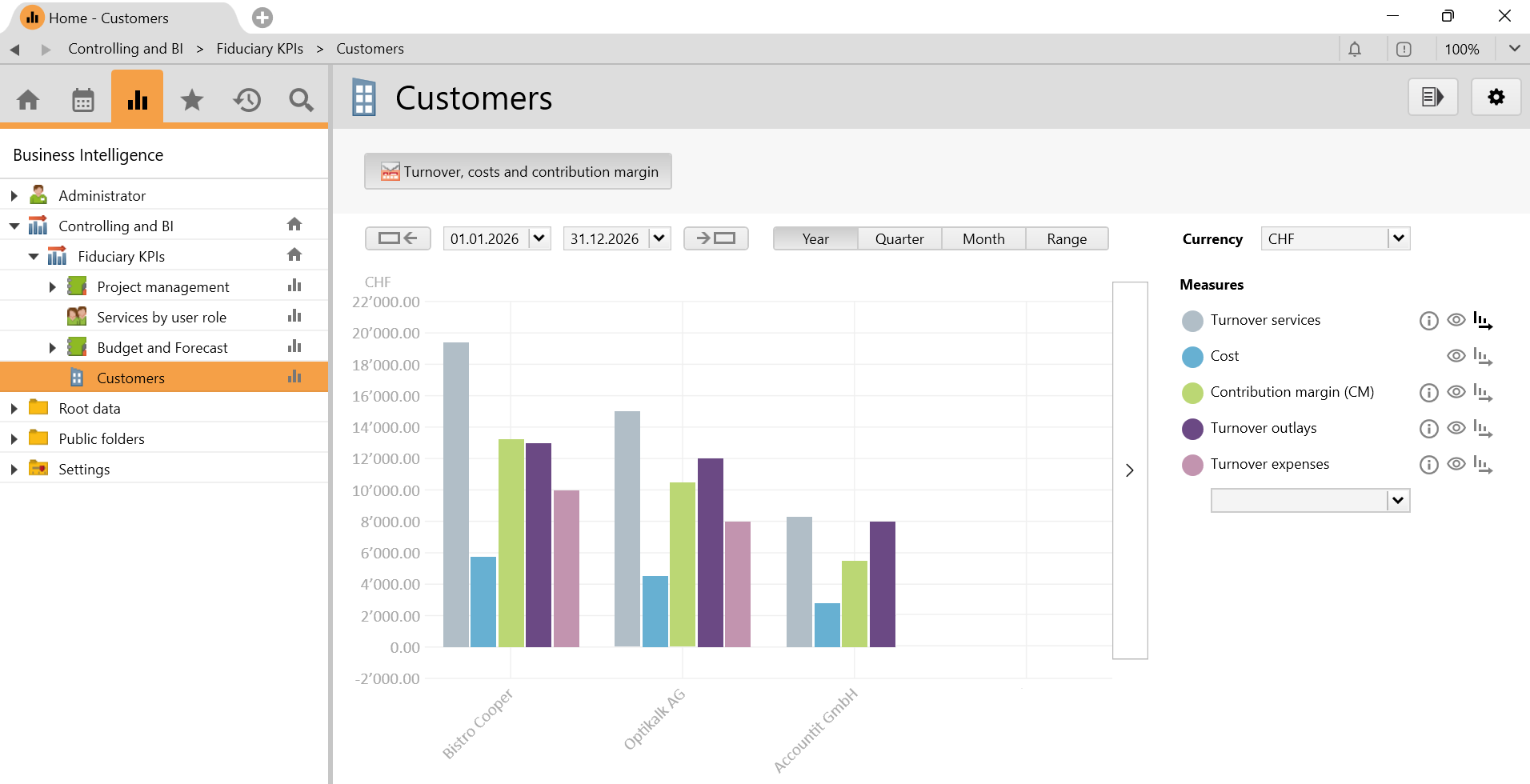
In this folder, the achieved turnover from services, outlays, expenses and the cost as well as the contribution margin of the projects grouped by the customers are shown. This view is also available on individual projects.
Requirements and download
- The module Controlling & BI must be licensed.
Before importing the config set, we recommend you read the article Key information about the additional features. Config sets modify data in Vertec, which can overwrite existing data.
The exact import process is described in config sets.
You can download the additional feature with the following link:
| Version Requirement | Download |
|---|---|
| 6.8.0.12 | ConfigSet_BiFiduciaryKpis.xml |