
Reposting downpayments
Repost individual downpayments or all downpayments of a project to other projects.
Operating mode
 Cloud Suite
 On-Premises
Modules
Invoicing
Downpayments are always billed to the same project by default in Vertec. However, using the feature described here, downpayments can be reposted to other projects.
This application is an additional feature. The corresponding config set can be found here.
Application
Conditions for reposting downpayments
- The currency of the source and target project must match.
- The user needs write rights on both projects, i.e. the project manager rights must own projects or be assigned to the project supervisor user group.
Reposting individual downpayments
To repost an individual downpayment, you click on the actions button > Repost downpayment. Only projects of the same customer can be selected as a target project.
Thereby, the checkbox compensate will be active on the downpayment of the source project, the value of will be set to 0.00 and a pro forma invoice will be created in the amount of the downpayment to charge it.
This activates the Compensate checkbox on the downpayment of the source project, sets the value of amount open to 0.00, and creates a pro forma invoice at the amount of the downpayment (as a negative total amount) to charge it.

On the target project, a new downpayment is created as well as a pro forma invoice linked to the downpayment. The remarks field of the downpayment contains information about on the date on which and from which source project the downpayment was reposted:
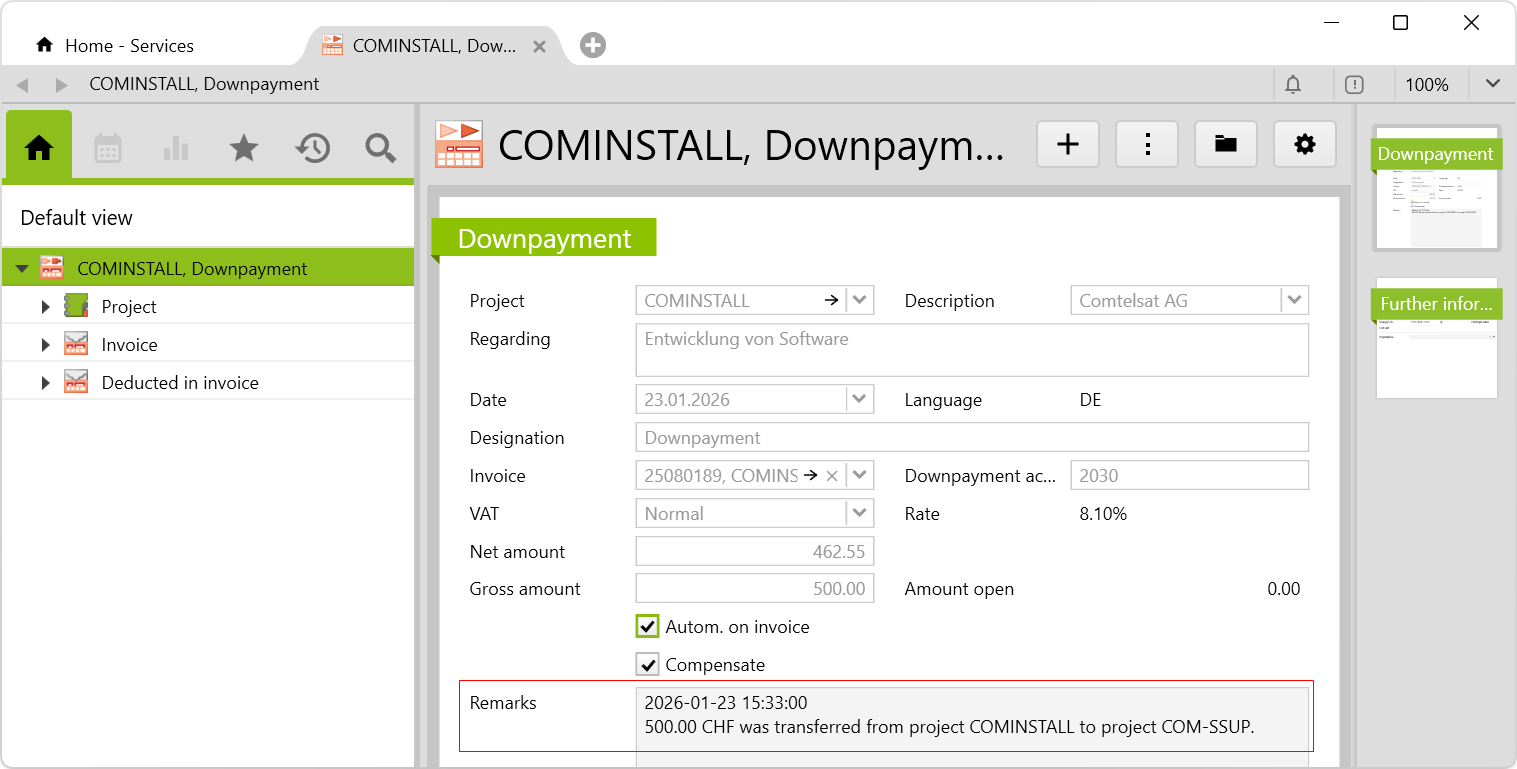
When creating a new invoice on the target project, the downpayment is automatically deducted.
Reposting several downpayments
If not individual, but all open downpayments of a project are to be reposted, you click on the actions button on the project and select the option Repost project downpayments:
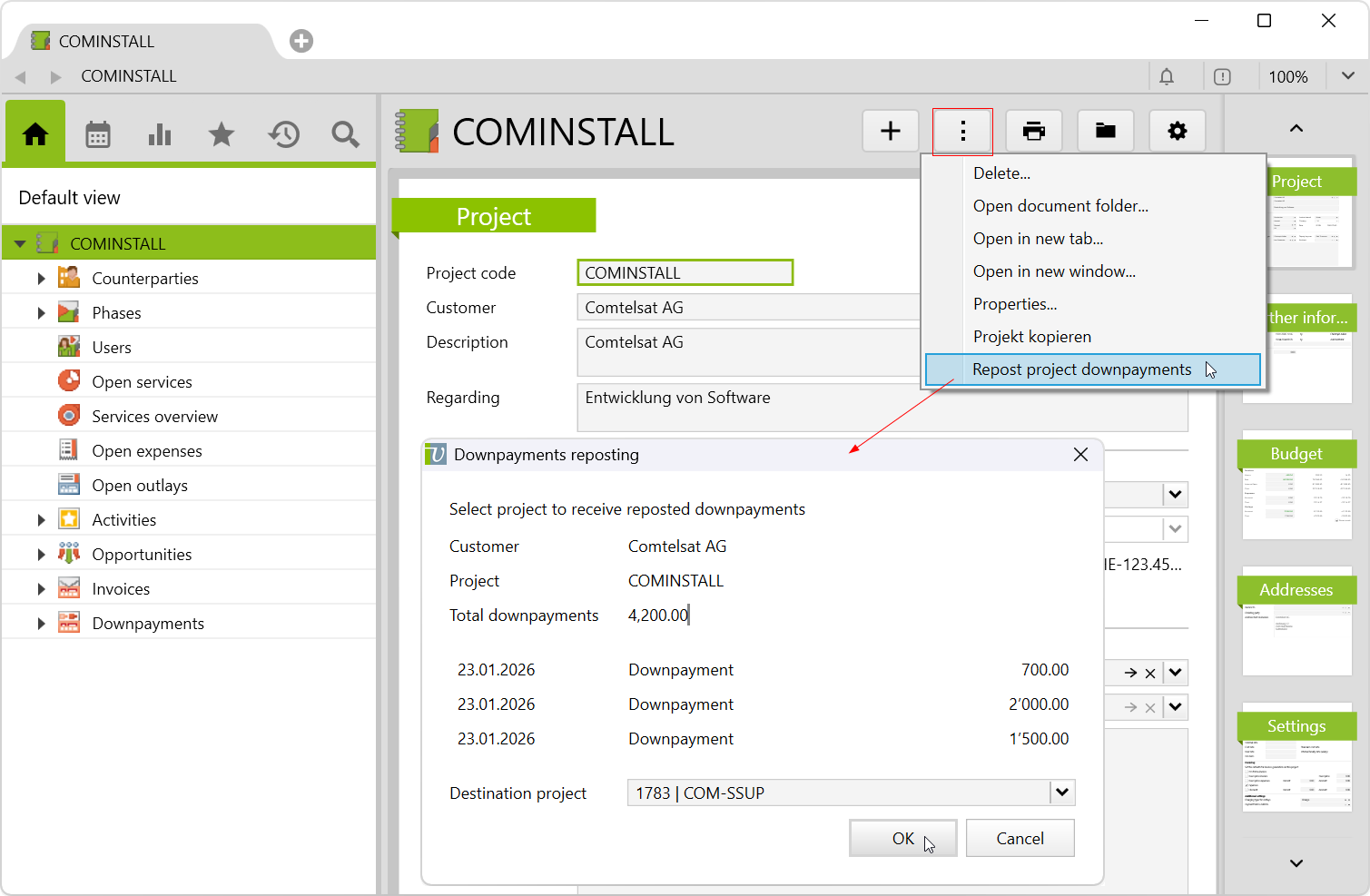
This activates the Compensate checkbox on the downpayment of the source project, sets the value of amount open to 0.00, and creates a pro forma invoice at the amount of the downpayment (as a negative total amount) to charge it.
On the target project, new downpayments will be created as well as a pro forma invoice linked to the downpayments:

The remarks field of the downpayment contains information about on the date on which and from which source project the downpayment was reposted (see above). When a new invoice is created on the target project, the downpayments are automatically deducted.
Requirements and download
Important information before import can be found in the Worth knowing about the additional features article. Config sets modify data in Vertec, which can overwrite existing data.
The exact import process can be found in the Articles about the config sets.
Download the additional feature with the following download link:
| Version Requirement | Download |
|---|---|
| 6.8.0.1 | ConfigSet_AdvanceRebooking.xml |