
Document sealing
Seal your documents securely, verifiably and legally compliant.
Operating mode
 Cloud Suite
 On-Premises
Modules
Procurement & Purchases
In the digital age, electronic document filing is becoming increasingly important for companies. Accounts payable and receivable as well as accounting documents are predominantly created, distributed and saved digitally. Tax and accounting documents are subject to special and legal requirements regarding retention, authenticity and long-term traceability.
What is document sealing?
The digital sealing of documents creates technical and legal security by ensuring the integrity and traceability of digital documents using cryptographic methods (hash values, digital timestamps and electronic seals).
The aim is that:
- any subsequent modification of the documents is made identifiable.
- integrity is ensured throughout the lifecycle of the document.
According to GeBüV Artikel 9 (CH) and GoBD Abschnitt 3, Rz. 26 (DE), accounting documents may be archived on modifiable digital data carriers, provided that the time of storage remains verifiably authentic and the integrity of the information and the documentation of the processes are guaranteed.
Vertec offers a sealing feature that meets exactly these requirements. Documents are cryptographically sealed and stamped with a time stamp and an issuer, enabling audit-proof tracking processes. This means that, if the document is slightly altered, the seal is considered as invalid.
Application
To use the sealing function, users must have licensed the Procurement & Purchases module. Only PDF documents can be sealed. The sealing is performed by the cloud service and only a hash of the document is sent to it. The document itself never leaves the user’s application server.
The sealing function is available for the following classes: creditors, expenses, and activities:
Seal PDF documents in creditors/activities
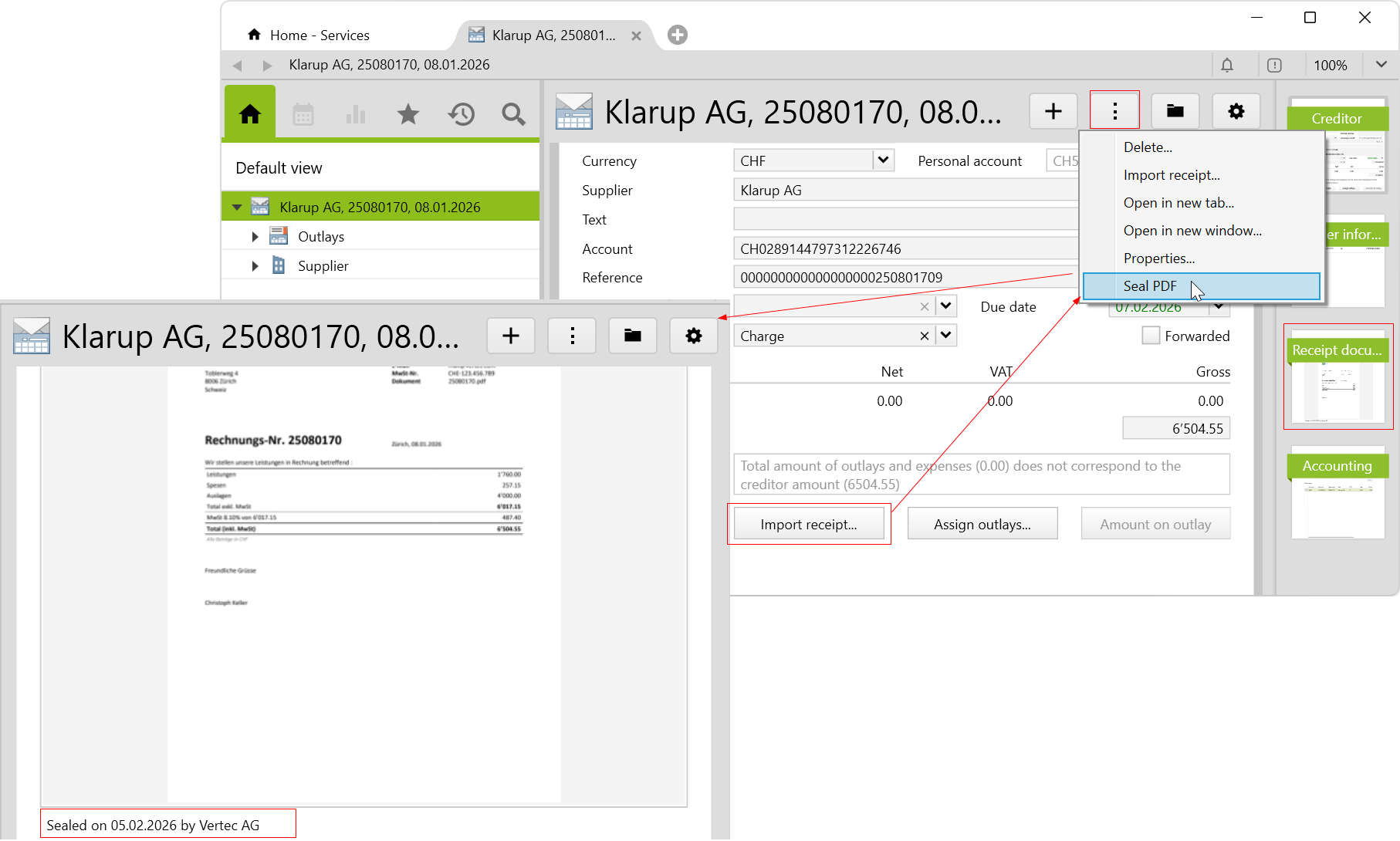
Once a creditor / an activity has been created and the PDF document has been imported (for activity: import document / for creditor: import receipt), navigate to the actions menu and click on Seal PDF. On the receipt document page in the creditor or on the document page in the activity, you will see the seal. It contains the information: Sealed On, the date, and the issuer.
Sealing PDF documents in expenses
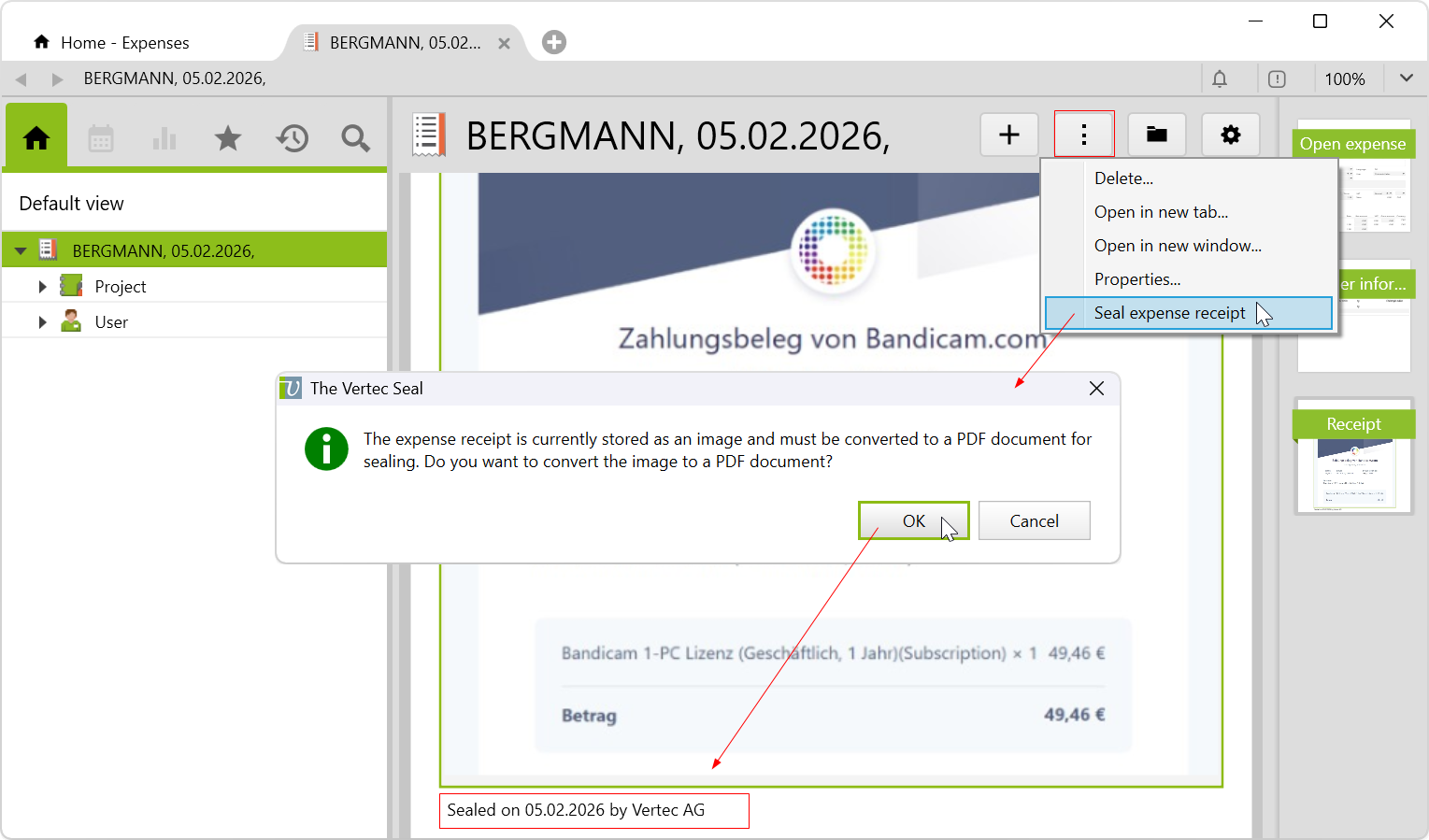
In expenses, the document can also be an image (image of a receipt). Since only PDF documents can be sealed, the uploaded image is first converted to a PDF document and after this process is confirmed, the document is sealed:
Show the seal
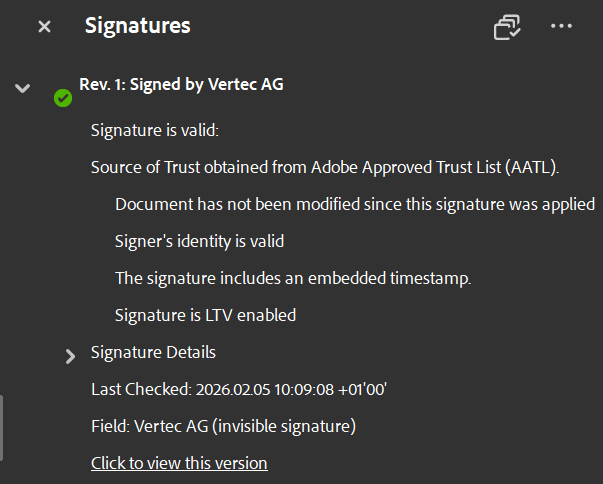
Apart from Vertec, the seal is best shown on the Adobe Reader platform. Once the document is opened, the signature tab opens, where you can see the details of the revision and the seal:
Conditions of sealing
The following conditions must be considered:
- Sealed documents cannot be resealed.
- Password-protected PDFs cannot be sealed. When the password-protected document is uploaded, the document page will show the note
The document is password-protected. - The seal is neither elDAS nor ZertES compliant.
- For creditors and expenses, you can set automatic actions for the sealing function (see System settings Creditor / Outlays).