
How to plan and budget third-party costs with Vertec
 Cloud Suite
 On-Premises
In addition to budgeting outlays on projects, you can also budget third-party costs in detail on phases.
Budgeting is based on the allocation of outlay types to phases:
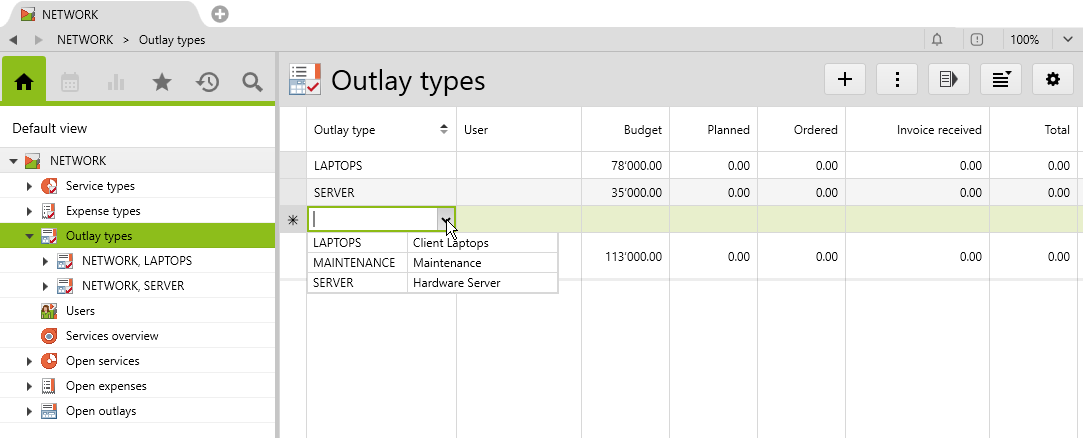
Under Budget, enter the third-party costs planned for this outlay type on this phase.
The outlays entered for this phase and allocated to one of the types assigned here are summed up in the standard list columns according to their status:
PlannedOrderedReceived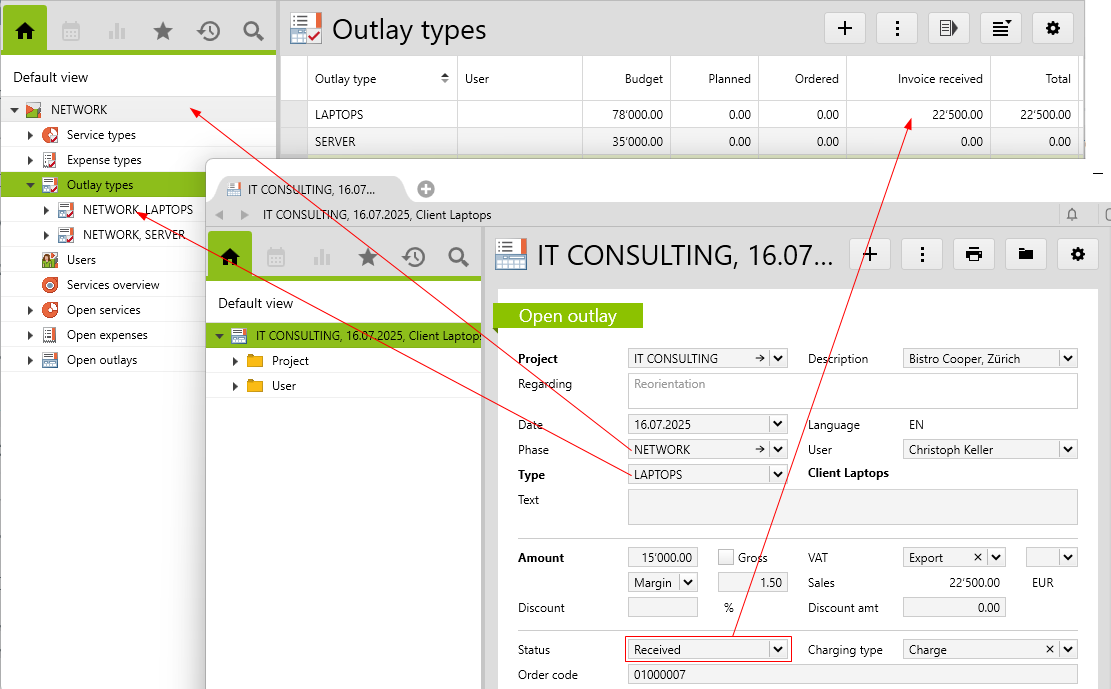
The User column is not taken into account when summing the values.
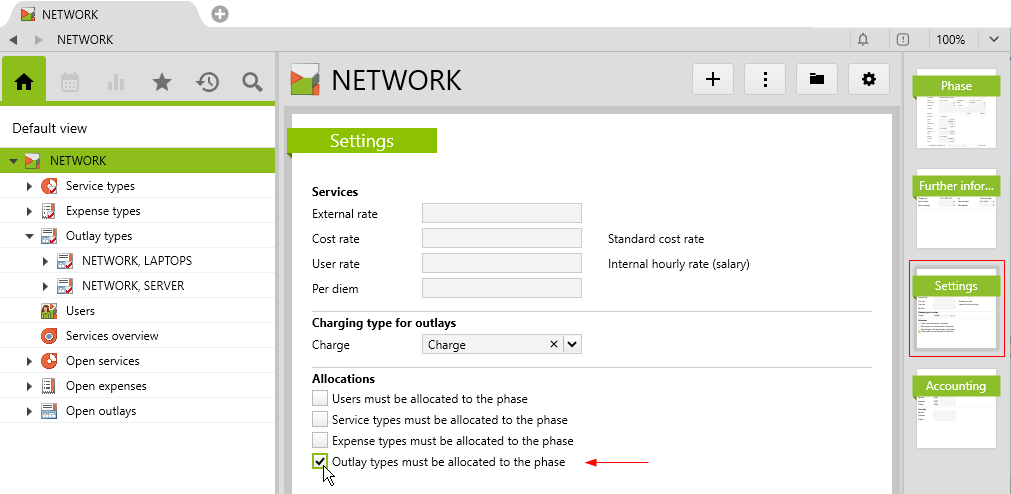
To ensure that only the types budgeted here are available when entering outlays, you can select the option Outlay types must be allocated to the phase on the Settings page of the phase:
In case you have customized the list of outlay type allocations to phases, below are the corresponding expressions for the List settings:
planFeeOutlaysExtphase.outlays.list->oclAsType(Outlay)->select(type=self.outlaytype)->select(status=0).fee->sumphase.outlays.list->oclAsType(Outlay)->select(type=self.outlaytype)->select(status=1).fee->sumphase.outlays.list->oclAsType(Outlay)->select(type=self.outlaytype)->select(status=2).fee->sumphase.outlays.list->oclAsType(Outlay)->select(type=self.outlaytype).fee->sum