
Working with COM
Working with COM / ActiveX
Operating mode
 Cloud Suite
 On-Premises
Modules
CRM, Invoicing
COM (Component Object Model) is a technology developed by Microsoft for interprocess communication in Windows. This means that two processes or programs running on the same local Windows can communicate with each other.
The term COM was later renamed to Activex by Microsoft, but it means the same thing, which is why we always use the term COM in the descriptions.
With Vertec, this works both ways:
- Vertec has a Com interface and can be accessed from outside by third-party programs.
- Vertec itself can address third-party programs via Com forwarding.
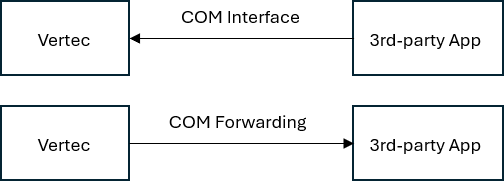
COM and the Vertec apps
COM always runs locally on the respective computer and between two locally installed programs. For Vertec Apps means the following:
- Vertec Cloud App: The Cloud App is a cloud client, which means that it does not run locally, but is provided by the server and only displayed locally. To ensure that COM can still be used with it, a COM proxy is available for the COM extension (inbound) and COM forwarding outbound.
- Vertec Web App: The Web App runs on the Internet and therefore never has access to anything local. Therefore COM via Web App cannot be used.
- Vertec Desktop App: The Desktop App runs locally on the Windows machine, so COM runs in both directions without any further action. However, it is only available to customers and to Vertec On-Premises customers for backward compatibility reasons and is set up with Vertec 7.1. The COM Proxy and COM Forwarding variants like the Cloud App are Cloud App via Desktop App so we recommend that any COM connections are provided this way.
Here you will find the detailed information on Vertec COM forwarding (outgoing)