
System settings - Full-text search
System settings for the full-text search
Operating mode
 Cloud Suite
 On-Premises
Modules
All
The basic settings for the full-text search are made below.
If changes are made to the system settings or the default language, the indexing must be restarted before the corresponding results appear.
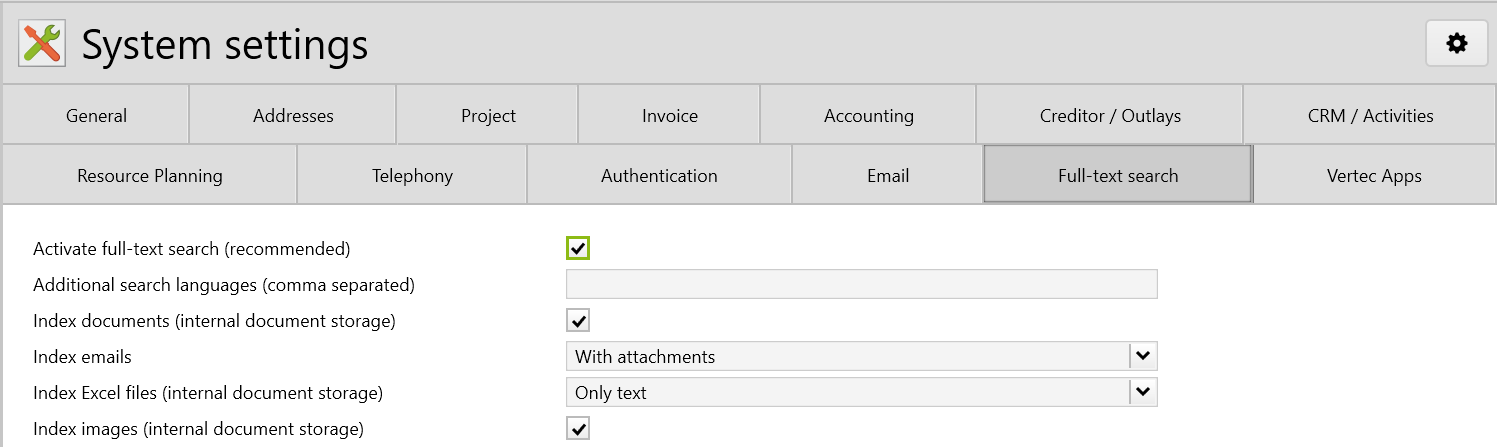
Activate full-text search (recommended)For the full-text search to be available, this checkmark must be checked. The magnifying glass in the navigation menu only appears when this option is activated. For migrations or large data imports, this option should be deactivated and the data should be indexed all at once when complete. PropertyName: |
Additional search languages (comma separated)The defined default language is indexed automatically. You can enter additional languages to be indexed here. Enter the relevant language abbreviations DE, EN, FR, IT and NL, separed by commas.You can then select between the indexed languages during the search. This setting is relevant for the word stem search. For example, in German a “Fahrrad” will also find “Fahrräder”; in English “bikes” will also find “bike”, etc. PropertyName: |
Index documents (internal document storage)As of Vertec 6.8.0.15: Word, PDF and PowerPoint documents are searched. For this to work, the Document storage must be set to Up to Vertec 6.8.0.14: In order for Word, PDF (and from version 6.8.0.7 Excel and PowerPoint) documents to be searched, Document storage must be set to PropertyName: |
Index emailsAs of Vertec 6.8.0.15: Set whether and how emails stored in Vertec are searched. There are three options:
The emails must be saved in Vertec. This is automatically the case if you are working with the Vertec Outlook App. Only the emails saved internally in Vertec are searched (i.e. not linked on the file system). PropertyName: Up to Vertec 6.8.0.14: This determines whether emails and their attachments should be included in the full-text search. The emails must be saved in Vertec. This is automatically the case if you work with the Vertec Outlook App. Only emails saved internally in Vertec (i.e. not linked on the file system) are searched. PropertyName: |
Index Excel files (internal document storage)As of Vertec 6.8.0.16. For optimal indexing of the Excel files, the selection has been expanded by the following options in the system settings: PropertyName: As of Vertec 6.8.0.15. Excel files are searched if the Document storage is set to PropertyName: |
Index images (internal document storage)As of Vertec 6.8.0.15. Image files and PDF's that contain an image instead of text are searched using Optical Character Recognition (OCR), and the texts found are taken into account in the search. For this to work, Document storage must be set to PropertyName: |