
Future-proof COM extensions
Do you still have a financial accounting system or other solutions in use that rely on a connection via COM? Find out in this article how Vertec has made such extensions cloud ready and what benefits are in you.
New technology makes COM extensions cloud ready
Some Vertec extensions to third-party programs are based on a COM extension to the third-party system. However, since communication via COM is only possible locally, i.e. on the same computer, these extensions are simply not cloud ready. Up to now, they could only be operated with the Vertec Desktop App and accordingly only with an on-premises installation of Vertec.
With Vertec 6.7.0.7 we have introduced a mechanism that allows COM-based extensions to be addressed with the Vertec Cloud App. It does not matter whether Vertec is operated on premises or in the Cloud Suite. We have named this technology “COM Forwarding” which is also described in the corresponding Knowledge Base Article described.
The following image shows with a wink what the idea behind connecting COM and the cloud world is. 😉

“COM Forwarding” brings benefits and opens up new avenues
The end of the lifecycle of the Vertec Desktop App was announced at the User Conference conference in November 2023 (see Post on this in the vertec forum). This means that the ability to migrate COM-based extensions to the Cloud App is gaining in importance. All customers who use such extensions are encouraged to actively deal with the migration to the Cloud App. As of October 2024, the extensions have been rewritten to Infoniqa ONE 50, Infoniqa ONE 200, SelectLine and Topal. These can be switched to the Cloud App at any time and the use of the Desktop App is no longer necessary. This increases the future viability of your Vertec installation and improves the performance in the remote scenario, i.e. when you work with Vertec via VPN from the home office.
However, it also paves the way to a Cloud Suite, so if you previously did not take advantage of the Vertec Cloud Suite due to a COM-based connection to a third-party system, then nothing stands in the way of this step.
Another benefit is for users who already use Vertec as a Cloud Suite, but have had to forego a connection. Here, too, the way is clear and you can integrate your COM-based systems with Vertec.
An overview of all cloud ready extensions can be found in our Knowledge Base.
Why did Vertec decide to discontinue the Desktop App?
The Desktop App is a “leftover” from the Vertec 5.x world and only exists because certain things do not (yet) run in other apps, such as some of our FAR extensions. However, the Desktop App, as a stand-alone application, also has serious disadvantages, especially performance and security. We therefore recommend the use of the Cloud App or Web App to our on-premises customers for a long time.
I have a self-implemented COM-based extension in use – can I also operate it with COM Forwarding?
In our Knowledge Base you will find information about the necessary steps to convert an existing extension to COM Forwarding. Your Vertec contact person will be happy to assist you. Due to the richness of the COM protocol, we cannot guarantee the compatibility of your extension.
Conclusion
The implementation of the COM Forwarding mechanism brings new opportunities and benefits:
- On-premises customers can use their COM-based extensions without the Desktop App by migrating to the Cloud App.
- On Premises customers with a COM-based extension can now switch to the Cloud Suite and continue to use their COM-based third-party applications.
- Cloud Suite customers can take advantage of all the benefits of the Vertec Cloud and integrate their COM-based systems via extensions.
- Remote access from, for example, the home office via VPN becomes more efficient by using the Cloud App.
- Your Vertec installation will become more future-proof with the changeover, since the use of the Desktop App (which is the End of Life) can be dispensed with.
The deployment of cloud ready COM extensions via the “COM Forwarding” mechanism is therefore an important step that benefits both existing customers and new customers.


The idea behind the Vertec MCP Server


The review package for future-proof Vertec installations


How to Use AI Features in Vertec with Full Sovereignty
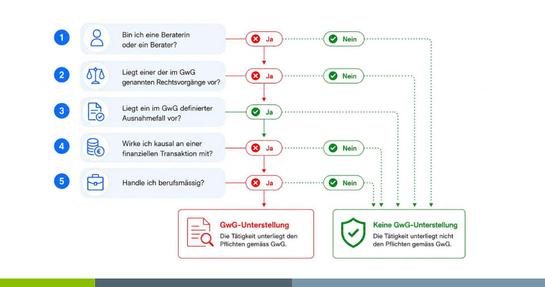

GwG Revision 2026: What Law Firms and Fiduciaries Need to Know Now

Webinar Purchase


Give your Vertec the right flavor
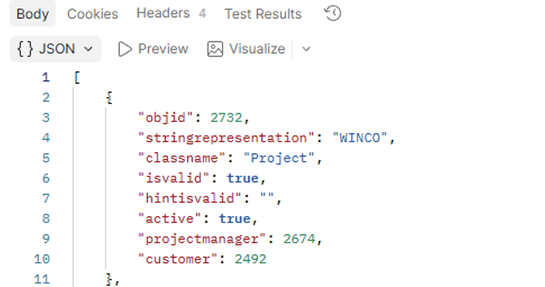
Has structured data died with the AI revolution?